Tianji
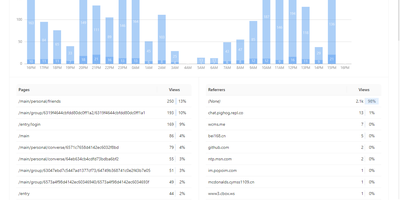
Website analytics, uptime monitoring, and server status - three tools most teams run separately - combined in Tianji, an open-source observability platform. The analytics layer tracks page views, unique visitors, referrers, and UTM parameters with a lightweight cookie-less script, which keeps collection GDPR and CCPA friendly. The uptime monitor checks availability and latency on configurable intervals, accepts passively reported results, and publishes public status pages for incident communication. Server status agents report CPU, memory, disk, and network metrics with threshold-based alerts, and notifications route through webhooks, Slack, Telegram, and other channels with noise control. It also includes anonymous telemetry for tracking deployments of your own open-source projects, surveys, waitlists, team collaboration, and an OpenAPI interface for integrations and exports. The consolidation is the point: traffic analytics, uptime checks, and server metrics share one interface and one alerting layer, so diagnosing an incident does not mean hopping between Google Analytics, Uptime Kuma, and Prometheus - and the built-in public status pages replace a separate paid Statuspage-style subscription. Because collection uses no cookies with IP truncation and aggregation by default, basic traffic measurement requires no consent banner. Built in TypeScript under the Apache 2.0 license and inspired by Umami and Uptime Kuma, it is deliberately right-sized for independent developers and small SaaS teams whose monitoring needs are real but lightweight.
Wakapi
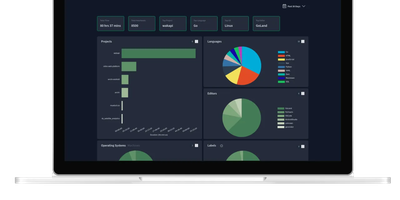
Its author, a student and WakaTime fan, didn't want to pay $9/month for data about his own keystrokes - so Wakapi was born, a self-hosted, WakaTime-compatible backend for coding statistics. The compatibility is the killer design decision: the official WakaTime plugins for VS Code, JetBrains IDEs, Vim, and dozens of other editors work unmodified - just point the plugin's API URL at your Wakapi instance with your personal key, and heartbeats flow to your server instead of a third party's. Duration inference matches WakaTime's own algorithm, with a configurable timeout (10 minutes by default). From that stream Wakapi builds statistics and plots across projects, languages, editors, hosts, and operating systems, plus the fun extras: public leaderboards (optionally login-gated, with configurable aggregation windows), badges for GitHub readmes, and weekly email reports. A REST API serves your data programmatically, Prometheus export feeds your existing Grafana, and a WakaTime relay mode can mirror heartbeats to both services during migration - with one-click import of historical WakaTime data. Written in Go, it is lightning fast and light enough for the smallest instance, storing to SQLite, PostgreSQL, or MySQL, with configurable data retention for GDPR peace of mind. Deliberately smaller than WakaTime, deliberately yours.
GPT Researcher
A question goes in; a cited, long-form report comes out - GPT Researcher is an open-source autonomous research agent. A planner agent decomposes the query into sub-questions, execution agents crawl 20+ web sources in parallel with JavaScript-enabled scraping, and a publisher aggregates findings into a 2,000+ word report with inline citations, exportable to PDF, Word, and Markdown. The Deep Research mode extends this recursively: each result yields follow-up questions that are explored to configurable breadth and depth in a tree pattern, while accumulated learnings, citations, and visited URLs are shared across branches. It also researches local documents (PDF, CSV, Word) alongside the web. LLM and search providers are pluggable, including OpenAI, Anthropic, Google, DeepSeek, and Ollama for models, and Tavily, Google, Bing, DuckDuckGo, and SearXNG for retrieval. It ships as a Python package, a FastAPI server with web frontend, a Docker image, and an MCP server for use inside Claude or Cursor. MIT-licensed.
Docker Registry
Ahoy, container enthusiasts! Set sail with Docker Registry 2.0, the swashbuckling storage sidekick for your Docker images. This app isn't just an implementation of the Docker Registry HTTP API V2; it's a compatibility wizard, joining forces with Docker versions 1.6 and up. Looking to hoist your registry solution to new heights or just want a cozy spot for your private collection? Docker Registry 2.0 has got your back, offering a fortress of security and a playground of scalability. It's the unsung hero behind the curtain of the Docker Hub, GitHub Container Registry, GitLab Container Registry, and DigitalOcean Container Registry, not to mention its star role in the CNCF Harbor Project and VMware Harbor Registry. Get ready to manage your digital treasures like a pro, with a content distribution system that's more extensible than a pirate's telescope. And with RepoCloud hosting, you'll be saving more doubloons than you can count, all while keeping the open-source spirit alive and kicking!
Oxigen
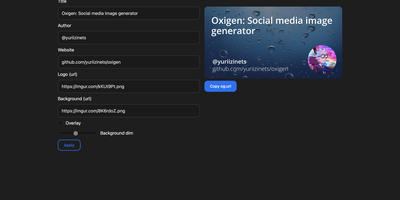
The social preview cards shown when links hit Twitter, LinkedIn, Slack, or Discord, generated on the fly: Oxigen is a small Go service for dynamic Open Graph images, no designer required per page. Instead of exporting static images per page, you compose a card once and drive it with parameters: title, author, website, logo, background image, and background dimming all arrive as URL query arguments, so your og:image meta tag simply points at the Oxigen endpoint with the page's own values substituted in. Every blog post, product page, and doc gets a branded, correctly sized preview generated on the fly. A built-in web UI covers interactive composition - tweak the text and imagery, watch the preview update, copy the resulting URL - while the same rendering path serves programmatic API use from static site generators, CMS templates, or build pipelines. Rendering is pure Go using the gg 2D graphics library, freetype fonts, and the imaging package, built on the kyoto framework by that project's author. Deployment is one stateless container on port 80 with no database and no external dependencies, so instances scale and restart freely.
SQL Chat
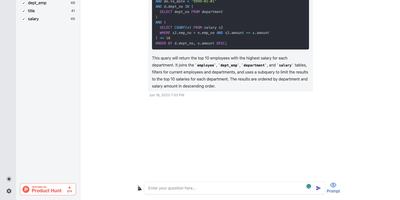
Describe what you want in plain language and get real SQL against your real schema: SQL Chat is an open-source, chat-based SQL client from the Bytebase team. Instead of writing queries in a traditional editor, you connect a database and describe what you want in plain language; the AI reads your schema automatically, generates SQL that references real table and column names, executes it, and returns tabular results in the conversation. Follow-up messages refine the query, so exploration becomes a dialogue - narrow a result set, add a join, change an aggregation - without retyping statements. It supports MySQL, PostgreSQL, SQL Server, TiDB Cloud, and OceanBase from one interface, and covers modification as well as reads: insert, update, and delete operations phrased conversationally. Built with Next.js and TypeScript, it deploys as a single stateless Docker container in single-user mode - connection profiles live in the browser, so there is nothing server-side to maintain. A custom AI endpoint setting routes inference through any OpenAI-compatible API, including self-hosted models, and an optional database-backed mode adds accounts and quotas for offering the tool to a team. MIT-licensed.

Ghost File Sharing
Get ready to turbocharge your coding escapades with our app that's like a GPS for GitHub! Navigate the bustling streets of code, projects, and fellow code-connoisseurs with ease. It's like having a productivity potion at your fingertips. Subscribe to our newsletter and be the cool kid on the block with the latest product scoops and corporate chronicles. Plus, our app is Fort Knox for your code, ensuring your digital masterpieces are safe as houses. Ideal for the solo programming ninja or the enterprise brigade, our app is your golden ticket to the open-source wonderland, all while saving your coins with RepoCloud's wallet-friendly hosting!
Windmill
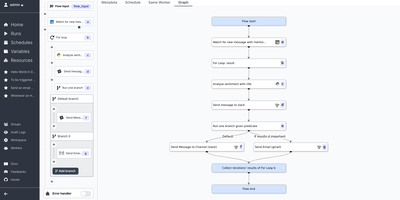
Get ready to harness the power of the almighty Windmill Cloud, the digital sorcerer that turns your humble scripts into mighty workflows and snazzy user interfaces quicker than you can say 'abracadabra'! Imagine crafting internal apps and Herculean workflows with just a sprinkle of code here and there. Windmill Cloud is your trusty sidekick, transforming your scripts into production-grade marvels. Unleash your inner developer wizard with a spellbook of languages like Python, Typescript, Go, Bash, and Sql. Conjure up scripts into workflows with a flick of low-code magic, and share your creations with an auto-magical UI or craft one with minimal toil and trouble. Whether you're running your digital empire on your own mystical lands or ours, Windmill Cloud stands vigilant with permissioning shields and monitoring spells included. It's the open-source Merlin to the proprietary kingdoms of Airplane, Superblocks & Retool, and it's a breeze to deploy across realms, be they quaint hamlets or sprawling metropolises. Command long-running background giants, weave scripts with intricate dependencies, conjure high-speed endpoints, or summon simple one-off tasks—all without breaking a sweat. Trigger these incantations from a webhook or the enchanted UI and keep a watchful eye with ease. Craft intricate flows from the simplest of scripts, plucked from your own enchanted workspace or the grand Hub. Assemble supercharged apps with a wave of your wand using drag-and-drop components, bind them to your data, and launch your app into the stratosphere in mere minutes. With Windmill Cloud's performance potions, your app will soar, unfazed by the weight of even the most complex spells. All this, hosted on RepoCloud, where the cost of casting these digital spells is but a fraction of the cloud giants' hoards. So, what are you waiting for? Let Windmill Cloud be the wind beneath your tech wings!
OneDev
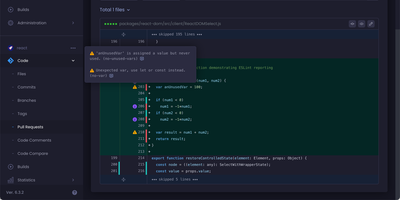
Get ready to turbocharge your project management and code wrangling with OneDev! Imagine a digital Swiss Army knife for your development adventures, packed with all the tools you need to juggle pull requests, keep a hawk-eye on issues, and orchestrate your builds like a maestro. OneDev is your trusty sidekick in the quest to conquer code chaos, offering a sleek dashboard where you can masterfully manage multiple projects, each with its own universe of files, commits, and mystical branches and tags. Merge with might, discard with delight, and track every triumph and tribulation of your open and closed issues. And when it comes to builds, OneDev is like having a crystal ball that shows you a panorama of success across your projects. Host it on RepoCloud, and you'll be the envy of the coding realm with a hosting bill that's as lightweight as your newfound agility. So, gear up, get on RepoCloud, and let OneDev transform your productivity into the stuff of legends!
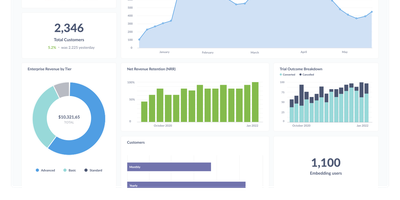
Metabase
The most widely deployed open-source BI tool, Metabase is a visualization and query layer that sits on top of your existing databases without ingesting or copying data. Non-technical users ask questions through a visual query builder with drill-through menus that answer follow-ups like "broken down by month" without writing a new query, while analysts use the native SQL editor with variables and templates for complex work. Questions assemble into interactive dashboards with filters, auto-refresh, fullscreen mode, and custom click behavior, and dashboard subscriptions email or Slack scheduled reports to stakeholders. It connects to 20+ data sources including PostgreSQL, MySQL, MongoDB, SQL Server, BigQuery, Snowflake, Redshift, and ClickHouse - always querying in place, so there is no second data store to secure, sync, or pay for, and results are always current. Models and metrics let a data team define official, reusable starting points so self-service stays consistent, collections with permissions organize content, and alerts fire when a metric crosses a threshold. The practical effect is cutting the ad-hoc query queue that lands on the data team, since non-technical staff can answer their own questions. Written in Clojure, licensed AGPL, and shipped as a single JAR or Docker image with an embedded application database - a working BI instance runs before most tools finish their installer - the open-source edition has no limits on users, dashboards, or connected databases, where commercial BI platforms price per viewer as well as per creator.
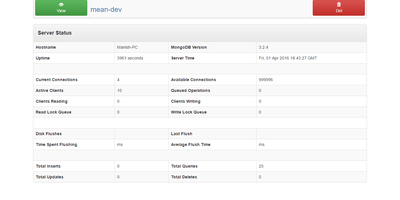
Mongo Express
Step right up to the digital stage of mongo-express, the slickest web-based ringmaster for your MongoDB database acts! Crafted with the magical trio of Node.js, Express, and Bootstrap3, this app is your VIP pass to the MongoDB admin show. Juggle multiple databases with ease, and watch as collections bend to your will, allowing you to view, spawn, and vanish them with a snap of your fingers. Documents dance to your tune, too; you can create, morph, or poof them out of existence. Behold the in-line spectacle of audio, video, and image previews right in the collection view! Tame the wild beasts of large or nested objects with a collapsible feature, and summon big document properties only when you need them, keeping your collection view as sprightly as a circus acrobat. And for the grand finale, witness the power of GridFS, where mongo-express can handle files so large they make elephants look like poodles. It's mobile responsive, so you can run the show from anywhere, and it's as secure as a lion's cage with robust authentication options. With features like database blacklist/whitelist, custom CA, and CA validation disabling, plus support for replica sets, hosting this on RepoCloud is like getting the best seat under the big top, but at a peanut's price. So, why wait? Let mongo-express take the center stage on your RepoCloud and turn database management into a performance worth a standing ovation!
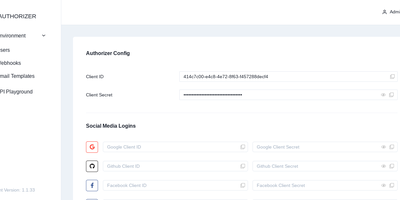
Authorizer
Your users belong in your own database - Authorizer, an open-source authentication and authorization server shipping as a single Go binary, keeps them there. It connects to 13+ backends - PostgreSQL, MySQL, SQLite, SQL Server, MariaDB, MongoDB, Cassandra, ScyllaDB, ArangoDB, DynamoDB, Couchbase, YugabyteDB, PlanetScale, and CockroachDB - so identity data lives beside the application it protects instead of in an auth vendor's cloud. The server is fully OAuth 2.0 and OpenID Connect compliant, including authorization code flow with PKCE, a JWKS endpoint, token revocation, and nine JWT signing algorithms. Login options cover email/password, magic links, TOTP multi-factor, SMS OTP via Twilio, and social providers including Google, GitHub, Apple, Microsoft, and Discord. Authorization goes beyond roles: an embedded OpenFGA engine provides Zanzibar-style relationship-based permission checks in process. APIs are exposed over GraphQL, REST, and gRPC, with SDKs for JavaScript, React, Go, and Python, plus themeable built-in login pages and an admin dashboard. Apache 2.0 licensed.
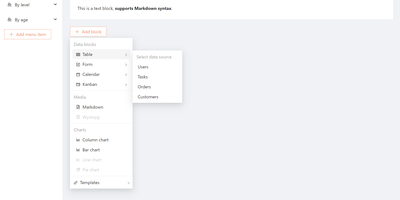
Nocobase
CRMs, project trackers, inventory tools - NocoBase is an open-source no-code/low-code platform for building business systems like these. Its architecture is data-model driven: you define collections and relationships first, then compose any number of interface blocks (tables, forms, kanban, charts) on top of the same model, so data structure is never coupled to a particular view. The core is a microkernel where every feature is a plugin, WordPress-style; you enable official plugins, install marketplace ones, or write your own as npm packages with server and client parts. Data sources include the main PostgreSQL or MySQL database, external databases, and third-party APIs - so you can build admin panels over existing production data instead of migrating it. Built-in infrastructure covers role-based permissions down to collection, record, and field level, workflow automation with approval steps and scheduled triggers, and audit logs; a one-click switch flips between usage and configuration modes. Because custom features live in isolated plugins with a documented lifecycle, core upgrades do not overwrite your customizations, and swapping UIs never requires data migrations since interfaces sit on independent models. Written in TypeScript on Node.js, Koa, and React under the AGPL license, it is light enough for one person to run and extend - and where no-code SaaS platforms charge per seat and per app, a self-hosted instance runs unlimited applications for unlimited users at hosting cost alone.
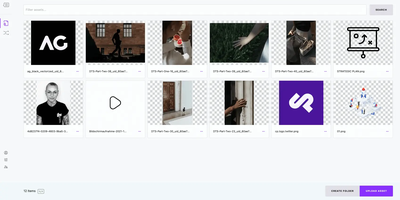
Cockpit
Built by an agency in 2011 and refined by real client work since, Cockpit is a headless CMS whose pragmatism is earned. It's a pure content backend: model your data, let editors manage it, and fetch it over REST or GraphQL from any frontend - React, Vue, Flutter, a static site generator, or an IoT dashboard. Content modeling covers three shapes: Collections for repeatable items (posts, products, events), Singletons for one-off content (settings, about pages), and Trees for hierarchies (navigation, categories), all assembled from 20+ field types including relationships. The API layer is unusually capable: MongoDB-style query filtering, field selection to trim payloads, automatic image optimization through the assets API, and built-in caching. Localization is first-class with per-field multi-language content and fallback support; user management includes roles, granular permissions, two-factor authentication, and API tokens; and webhooks push changes into external workflows. Agencies get multi-tenant Spaces - several sites or clients from one installation. The operational footprint is refreshingly small: PHP plus either SQLite or MongoDB, no build steps, no toolchain, extensible through hooks, events, and addons (pages/SEO, forms, full-text search, layout components). Where enterprise headless platforms bill per seat and per locale, Cockpit is MIT-licensed and simply yours.
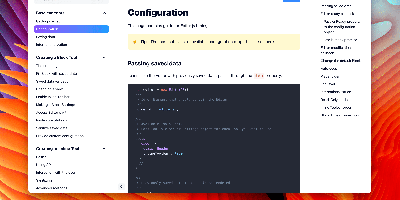
CodeX Docs
Writing docs should feel like editing a modern document, not wrangling Markdown files - CodeX Docs delivers that on Editor.js, the block-styled editor its CodeX team builds and thousands of products use. Content is composed from clean blocks (headings, lists, code, images, embeds) with a UI that reads well on both desktop and mobile, and pages render statically with human-readable, SEO-friendly URLs. Structure is free-form: pages nest to any depth, so a flat FAQ and a deep product manual coexist in one instance, and the UI tunes to fit - collapse sections, hide the sidebar. The operational footprint is deliberately tiny. No database is required: the default driver persists to a local folder, with MongoDB available when you want it, and the whole app configures through one YAML file (overridable with APP_CONFIG_ environment variables) covering title, start page, auth password, and JWT secret. Editing mode sits behind password authentication. Thoughtful extras are wired in: readers can report misprints straight to your Telegram or Slack, Hawk error tracking catches frontend and backend exceptions, and Yandex Metrica analytics is a one-line config. A ready-made Helm chart covers Kubernetes. Written in TypeScript.
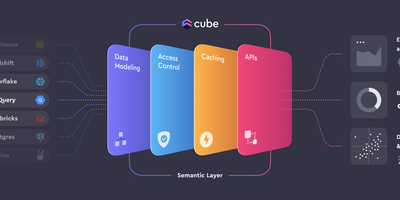
CubeJS
Between your databases and everything that consumes data - BI tools, embedded analytics, AI agents - sits Cube (formerly Cube.js), an open-source semantic layer. Metrics, dimensions, joins, and access rules are defined once as code in YAML, JavaScript, or Python, forming a governed data model that every downstream consumer shares, so "revenue" means the same thing in every dashboard. Caching is two-level: an in-memory cache absorbs bursts of identical queries, and declared pre-aggregations - rollup tables built in the warehouse or in Cube Store, Cube's distributed columnar engine, and refreshed in the background - deliver sub-second latency while cutting warehouse compute costs. The query planner routes each request to cache, rollup, or source automatically. Consumers connect through a Postgres-compatible SQL API (any tool that speaks Postgres works), plus REST, GraphQL, and a Meta API for model introspection. Row-level security and multi-tenancy are enforced in the layer itself, upstream of every client. Sources include Snowflake, BigQuery, Databricks, Postgres, MySQL, Presto, and Athena. Headless by design - bring your own UI.
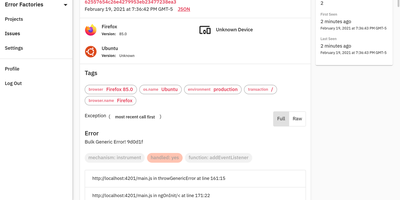
GlitchTip
GlitchTip speaks Sentry's protocol without Sentry's operational weight - open-source error tracking that your existing SDKs already understand. The pitch is pragmatic: instrument your application with the official Sentry SDKs you already know - any language they cover - and point the DSN at your own GlitchTip instance instead. Errors, exceptions, log messages, and Content Security Policy violations flow into one place for triage, grouped into issues with stack traces, with alerts delivered by email or webhook the moment things break. Where self-hosted Sentry has ballooned into a docker-compose stack of twenty-plus containers, GlitchTip is a deliberately lean Django and PostgreSQL application a small team can actually run. Beyond errors, it bundles three more monitoring concerns: performance monitoring takes a works-out-of-the-box approach - no dashboard building, just your slowest web requests, database queries, and transactions surfaced automatically; uptime monitoring pings your sites and alerts on failures, or runs in reverse as a dead-man's-switch heartbeat for cron jobs that must check in on schedule; and log search puts application logs alongside errors for faster debugging. Unlimited projects and team members, MIT-licensed, built by Burke Software - your event volume is limited only by your own hardware.
Hasura
A PostgreSQL database becomes a production-grade GraphQL API the moment Hasura GraphQL Engine points at it: track tables and relationships - existing schemas included - and full query, mutation, and subscription types appear with where, order_by, limit, offset, and on_conflict arguments, no resolvers or boilerplate written. Its Haskell core compiles GraphQL to efficient SQL, and any query becomes a real-time live query with a single keyword, powering dashboards and collaborative UIs over standard GraphQL subscriptions. Authorization is where Hasura earns its enterprise reputation: role-based access control with row- and column-level permission policies driven by session variables from JWTs, auth webhooks, or headers - each role effectively sees its own GraphQL schema containing only what it may touch, integrating cleanly with Auth0, Firebase, or homegrown auth. Event triggers fire webhooks on inserts, updates, and deletes for asynchronous business logic; Actions extend the schema with custom REST handlers; remote schema stitching merges external GraphQL services into one endpoint; and auto-generated REST endpoints serve clients that skip GraphQL. A browser console handles data modeling and API exploration, the CLI manages migrations and metadata as code, and deployment is a single stateless Docker container beside Postgres.