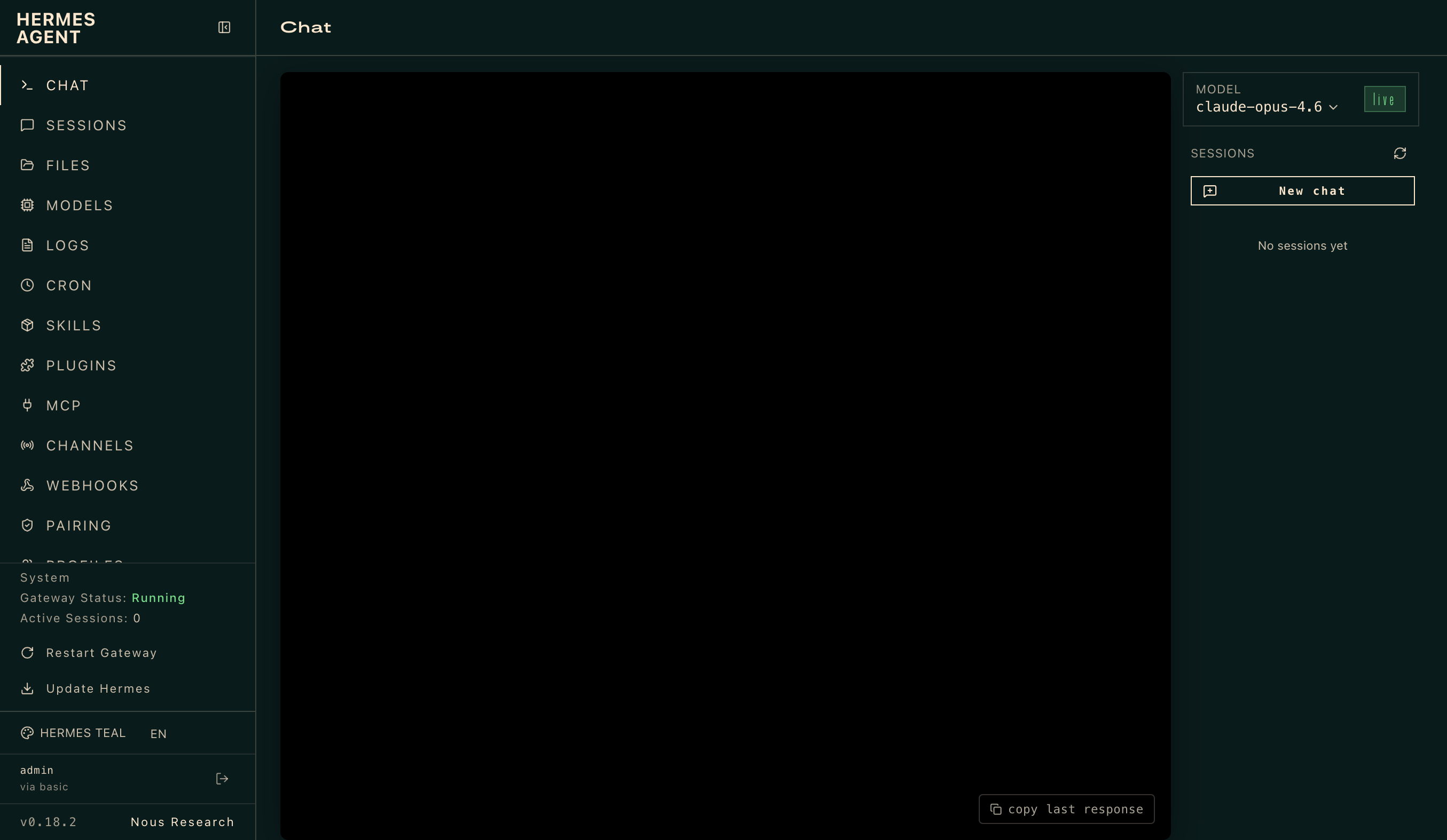
Hermes Agent
OpenRouter's most-used application by token volume — over 17 trillion tokens processed — Hermes Agent is an open-source autonomous agent built by Nous Research that lives on your server and gets more capable every day. Define a goal in natural language and Hermes plans sub-tasks, executes them through tool integrations, observes results, handles errors, and refines until the job is done or it genuinely needs your input. Persistent memory with full-text search and LLM summarization lets it recall context across sessions, and an agent-created skills system self-improves after complex tasks. A messaging gateway connects Telegram, Discord, Slack, WhatsApp, Signal, and 16 more platforms with cross-channel conversation continuity. A built-in cron scheduler runs daily reports, nightly backups, and weekly audits unattended. Subagent spawning parallelizes workstreams, and six terminal backends — local, Docker, SSH, Singularity, Modal, and Daytona — fit any infrastructure. Works with any LLM provider: Nous Portal, OpenRouter for 400+ models from 70+ providers, OpenAI, Anthropic, or your own endpoint. The API key you supply powers all LLM calls; billing goes through your own account. Running on a dedicated VPS with guaranteed CPU, RAM, and SSD, full root SSH access, and a browser serial console. MIT licensed.
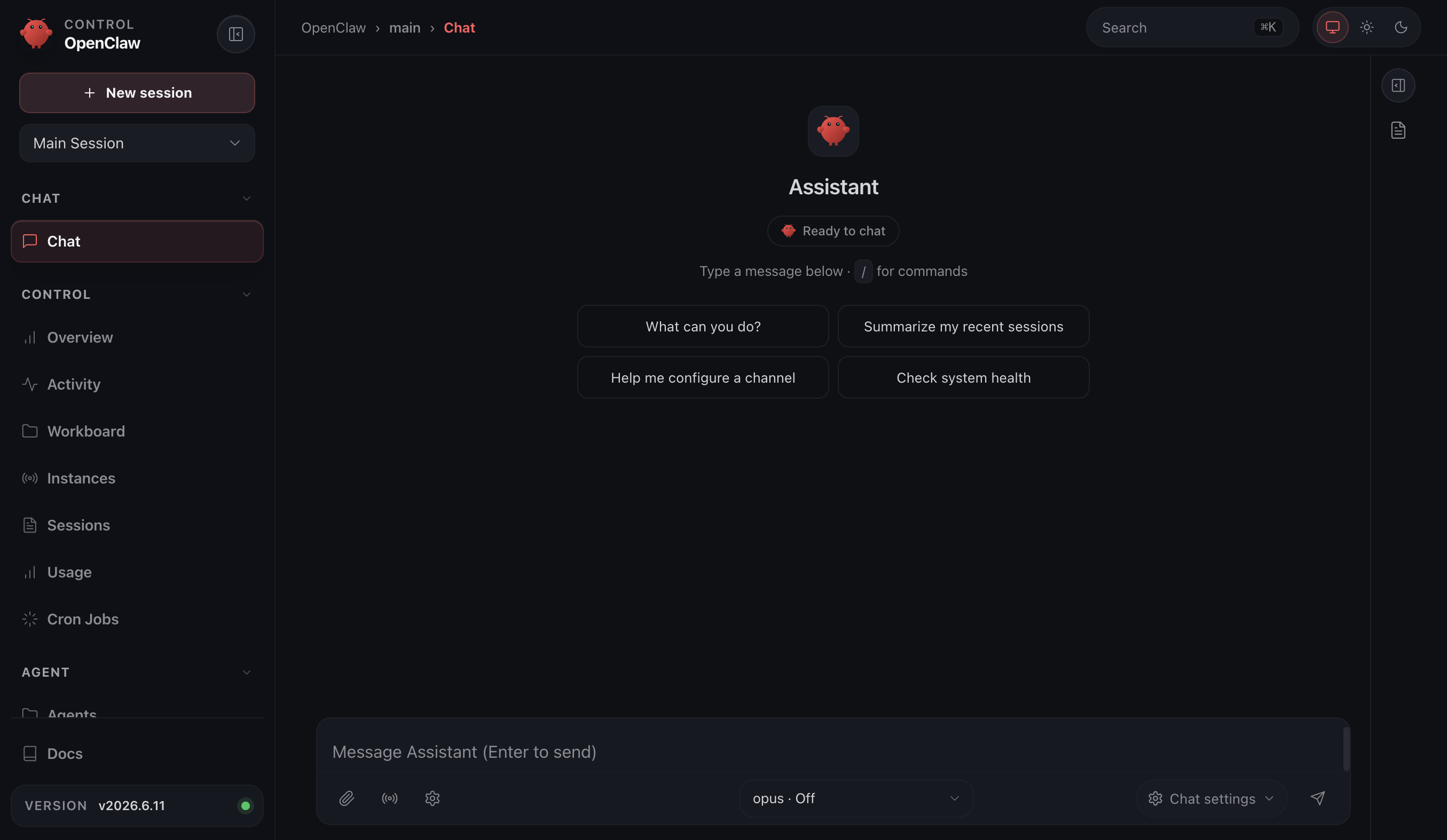
OpenClaw VPS
A personal AI assistant that remembers what it learns and reaches you wherever you are — OpenClaw is an open-source agent gateway built by the OpenClaw Foundation with 247,000+ GitHub stars. It connects to 200+ LLM models through providers like Anthropic, OpenRouter, and OpenAI, and meets you on 21+ messaging channels: Telegram, Slack, Discord, WhatsApp, Signal, iMessage, Matrix, and more. Persistent memory with full-text search lets the agent recall context across sessions, and a self-improving skills system means it gets more capable the longer it runs. Voice wake words and talk mode enable hands-free interaction on macOS, iOS, and Android. A live canvas provides an agent-driven visual workspace. Built-in browser automation, cron scheduling for unattended tasks, and subagent spawning for parallel workstreams round out the toolset. The gateway architecture keeps all sessions, credentials, and conversation history on your own server — nothing transits a third-party cloud unless you choose to connect one. The API key you provide for your chosen LLM provider powers the underlying calls; billing goes through your own account. Running on a dedicated VPS with guaranteed CPU, RAM, and SSD, full root SSH access, and a browser serial console. MIT licensed.
SillyTavern
Ever wanted to have a deep conversation with a pirate, a wizard, or even a sentient slice of pizza? Well, SillyTavern is here to make your wildest chat fantasies come true! This isn't just any ordinary text generation AI interface; it's a rollicking, roleplaying extravaganza where you can create and interact with characters as quirky or as serious as you like. Based on the beloved TavernAI 1.2.8, SillyTavern takes things up a notch with a treasure chest of enhancements and new functionalities. Whether you're looking to debate philosophy with a wise old owl or just need someone to laugh at your dad jokes, SillyTavern has got you covered. So, pull up a virtual barstool, order a round of digital grog, and let the AI shenanigans begin!
LibreChat
Every major model provider behind one ChatGPT-style interface: LibreChat spans OpenAI, Anthropic, Google, Azure, AWS Bedrock, Vertex AI, Groq, Mistral, OpenRouter, DeepSeek, and any OpenAI-compatible endpoint including local Ollama. You can switch models mid-conversation and compare providers without changing tools. Its Agents framework builds no-code custom assistants with tool access via Model Context Protocol servers, file search over uploaded documents through an optional pgvector-backed RAG service, and a sandboxed Code Interpreter that executes Python, JavaScript, Go, C++, Java, PHP, and Rust. Artifacts render React components, HTML, and Mermaid diagrams directly in chat, and image generation works through DALL-E and other configured providers. Multi-user support is enterprise-grade, with OAuth, SAML, LDAP, and two-factor authentication, per-user conversation history in MongoDB, and Meilisearch-powered search across all messages and files, plus reusable presets, forkable threads, and persistent memory across conversations. The economics favor teams: instead of a ChatGPT Plus seat per person, everyone shares one instance billed per API token, with access to every provider rather than one - and providers see individual API calls, not your accumulated organizational knowledge. Deployment is Docker Compose; API keys and endpoints are configured through .env and librechat.yaml.
Chatpad
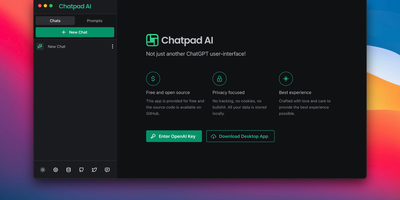
Why should your chat history live on someone else's servers? Chatpad AI - a React/TypeScript front end for the OpenAI API, built on the Mantine component library - is designed around that question. Enter your own OpenAI API key and start chatting with GPT models; every conversation, prompt, and setting is stored locally in your browser via DexieJS over IndexedDB, with no tracking, no cookies, and no backend database at all. That architecture is the point - the Docker image is just Nginx serving static files, making it one of the lightest AI deployments in the catalog, and pay-per-token API pricing typically undercuts a ChatGPT Plus subscription for moderate use. The interface earns its "premium quality" tagline with the details: a persona selector that switches communication styles per conversation, a saved-prompts library for messages you reuse constantly, organized chat history, and full data export/import so conversations move between browsers or into backups as files you control. A JSON config file customizes defaults - models, API endpoints, UI options - without rebuilding the image. AGPL-licensed, with desktop builds available upstream. For teams that want ChatGPT's utility with a self-hosted, zero-telemetry footprint, Chatpad is the minimal, sane answer.
AnythingLLM
Chat with your own documents: AnythingLLM, from Mintplex Labs, wraps retrieval-augmented generation (RAG) in an open-source application anyone can run. You organize content into workspaces, each an isolated namespace with its own documents, vector embeddings, chat history, and settings, so one instance can hold several separate knowledge bases. Upload PDFs, DOCX, TXT, and other formats, or scrape web pages; the built-in collector parses and chunks them into a vector database (LanceDB by default, with Pinecone, Chroma, Qdrant, and others supported). Answers cite their source documents. It works with both cloud LLMs (OpenAI, Anthropic, Gemini) and local ones via Ollama or LM Studio, and the embedding model is separately configurable. Beyond RAG chat, it includes AI agents that can browse the web and run tools, an embeddable chat widget for your website, a developer API, and multi-user mode with admin, manager, and default roles plus per-workspace access control. Context assembly is smarter than naive RAG: pinned documents, attached files, vector search hits, and recent chat history are combined under a token budget so the model's context window is filled efficiently, and each workspace supports multiple independent conversation threads against the same knowledge base. Because the embedding model, vector store, and chat LLM are all independently swappable, you can move between providers without re-ingesting a single document. The stack is Node.js with a React frontend, MIT-licensed.
Khoj
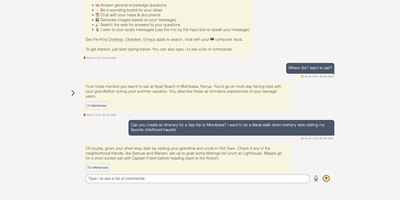
A self-hosted "second brain": Khoj indexes your own files and answers questions from them, parsing Markdown (whole Obsidian vaults included), org-mode, PDF, Word, plain text, Notion pages, GitHub repositories, and images described by a vision model, then embedding everything with sentence-transformers into a vector index for semantic search and RAG with cited sources. Any LLM backend works: local models like Llama, Qwen, or Mistral via Ollama, or cloud models like GPT, Claude, and Gemini. You can build custom agents, each with its own persona, scoped knowledge base, chat model, and tools such as web search and code execution. Scheduled automations run recurring research and deliver newsletters or notifications to your inbox, and research mode performs multi-hop web searches with inline citations. Access it from a browser, the Obsidian plugin, Emacs, desktop, or WhatsApp - all clients connect to the same self-hosted instance, making Khoj one of the few AI assistants Emacs users can point at decades of org files. Semantic search means recall works without exact keywords: "that paper about forecasting with transformers" surfaces the right PDF even when you cannot remember its title. Switching LLM backends never requires re-indexing your documents, and with a local model via Ollama, even inference stays on hardware you control - journals, research, and private notes are never sent anywhere. Python/FastAPI stack, AGPL-licensed, with PostgreSQL storage.
Open WebUI
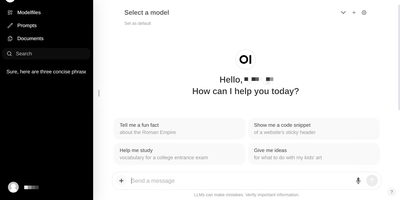
Large language models get a polished front end that can run fully offline: Open WebUI is the self-hosted front end of choice. It talks to local model runners, primarily Ollama, and to any OpenAI-compatible API, so LM Studio, vLLM, Groq, Mistral, OpenRouter, and cloud providers all plug into the same chat interface and can be mixed per conversation. RAG is built in: upload files to knowledge bases or reference them in chat with the # command, backed by a choice of nine vector databases (ChromaDB and PGVector officially maintained) and multiple extraction engines including Tika and Docling, with hybrid BM25-plus-vector search and cross-encoder reranking. Web search results from providers like SearXNG, Brave, and Tavily inject directly into conversations. Extensibility comes from Python tools and functions that run inside the chat, a Pipelines plugin framework, and native MCP support. Multi-user features include RBAC, SSO, and group permissions, and the instance itself exposes an OpenAI-compatible API your own apps can call.
Lobe Chat
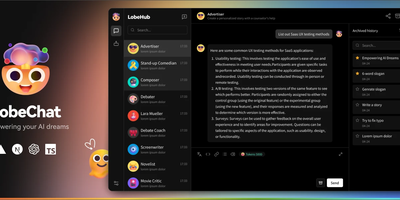
A private ChatGPT built with Next.js: Lobe Chat is the open-source AI chat interface teams self-host instead. Its main advantage is provider breadth: one interface connects to 40+ model providers, including OpenAI, Anthropic Claude, Google Gemini, Mistral, Groq, AWS Bedrock, Azure, and local models served through Ollama, so you can switch models per conversation and compare outputs. It handles multi-modal work: image recognition, image generation, text-to-speech, and speech-to-text. A plugin system based on function calling and the Model Context Protocol (MCP) adds external tools like web search and code execution. Run it in standalone mode as a single container with settings in browser storage, or in database mode with PostgreSQL and S3-compatible storage for persistent history, multi-user auth, and RAG knowledge bases built from uploaded documents with pgvector retrieval. Because tools arrive through function calling and MCP rather than a proprietary plugin format, custom internal tools can be exposed to the assistant with a standard server over STDIO or HTTP. Hundreds of pre-configured assistant roles import from the community marketplace. For teams the cost model matters: provider API keys billed per token typically undercut a ChatGPT Plus seat per person, and self-hosting keeps API keys, uploaded files, embeddings, and conversation history entirely on your own server.
Typing Mind
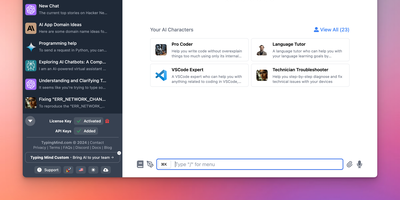
Bring your own API keys and work with OpenAI GPT models, Anthropic Claude, Google Gemini, Mistral, DeepSeek, Grok, Azure endpoints, and local models in one organized workspace: TypingMind is a unified chat frontend for large language models, replacing a browser tab per provider. Parallel chat sends the same prompt to multiple models and compares answers side by side, and models can be switched mid-conversation. A prompt library stores reusable, tagged prompts with variables, and the AI Agents system builds specialized assistants that bundle a base model, custom instructions, assigned plugins, and uploaded knowledge files for RAG. Plugins extend every connected model with web search, image generation (DALL-E, Stable Diffusion), Deep Research, URL reading via Firecrawl, and Zapier automation - plus MCP server integrations for Notion, Atlassian, and other external tools, and a JavaScript extension API for custom behavior. Chats store locally by default with optional sync. Self-hosting puts the interface on your own domain and, for teams, adds branding, member access limits, and shared prompt and agent libraries.
NextChat (ChatGPT Next Web)
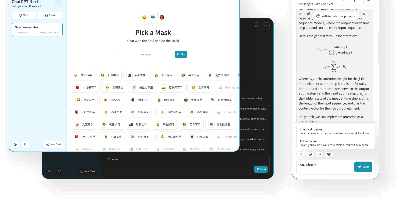
Ever dreamed of having your own AI chatbot that can rival the likes of Tony Stark's JARVIS but without the billionaire budget? Well, dream no more! With our one-click, cross-platform ChatGPT web UI, you can now harness the power of GPT3, GPT4, and even Gemini Pro faster than you can say 'open sesame!' Imagine impressing your friends, colleagues, and that one skeptical relative with a chatbot that not only understands them but also cracks jokes better than your dad. And the best part? You don't need to sell a kidney to afford it! So, why settle for mundane when you can have a digital assistant that's practically a stand-up comedian, philosopher, and trivia master rolled into one? Click, deploy, and let the AI magic begin!
AgentGPT
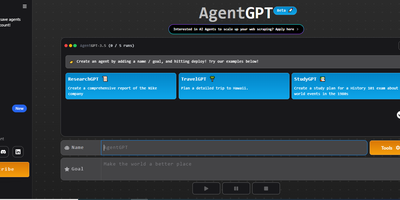
Meet AgentGPT, your personal AI sidekick that’s more ambitious than your last New Year’s resolution! Ever wanted a digital buddy who doesn’t just sit around binge-watching cat videos? With AgentGPT, you can name your own AI and send it on a quest to conquer the universe—or at least your to-do list! This little genius will brainstorm tasks, execute them with the precision of a caffeinated squirrel, and learn from its triumphs and failures (hopefully fewer of the latter). Imagine your AI trying to figure out how to make the perfect cup of coffee while simultaneously planning your next vacation. It’s like having a personal assistant who never sleeps, never eats, and definitely doesn’t judge you for that third slice of pizza. So, if you’re ready to unleash an autonomous agent that’s smarter than your average bear and more motivated than your last gym membership, hop on the AgentGPT train and watch your goals take flight! 🚀