Hermes Agent
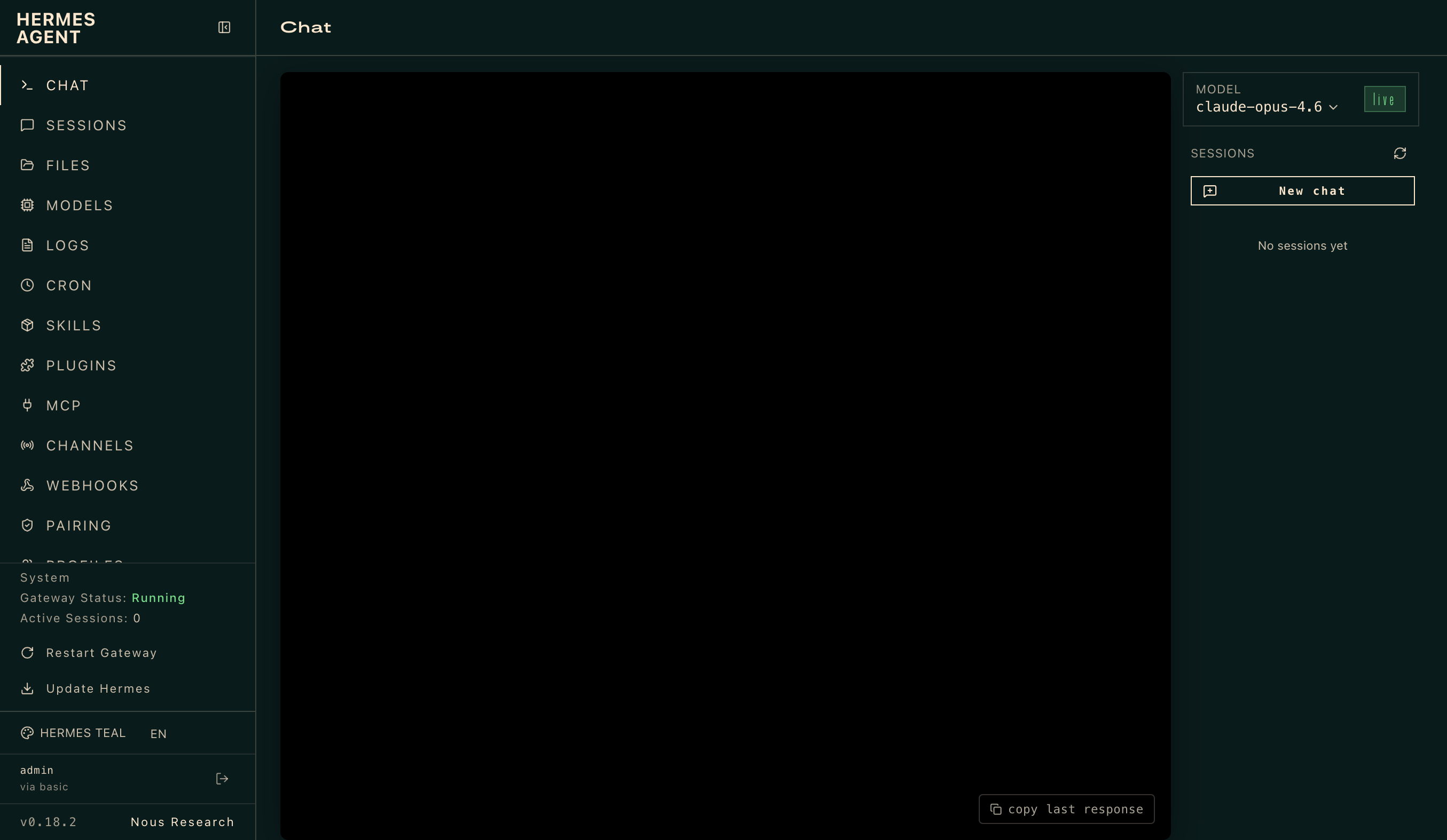
OpenRouter's most-used application by token volume — over 17 trillion tokens processed — Hermes Agent is an open-source autonomous agent built by Nous Research that lives on your server and gets more capable every day. Define a goal in natural language and Hermes plans sub-tasks, executes them through tool integrations, observes results, handles errors, and refines until the job is done or it genuinely needs your input. Persistent memory with full-text search and LLM summarization lets it recall context across sessions, and an agent-created skills system self-improves after complex tasks. A messaging gateway connects Telegram, Discord, Slack, WhatsApp, Signal, and 16 more platforms with cross-channel conversation continuity. A built-in cron scheduler runs daily reports, nightly backups, and weekly audits unattended. Subagent spawning parallelizes workstreams, and six terminal backends — local, Docker, SSH, Singularity, Modal, and Daytona — fit any infrastructure. Works with any LLM provider: Nous Portal, OpenRouter for 400+ models from 70+ providers, OpenAI, Anthropic, or your own endpoint. The API key you supply powers all LLM calls; billing goes through your own account. Running on a dedicated VPS with guaranteed CPU, RAM, and SSD, full root SSH access, and a browser serial console. MIT licensed.
OpenClaw VPS
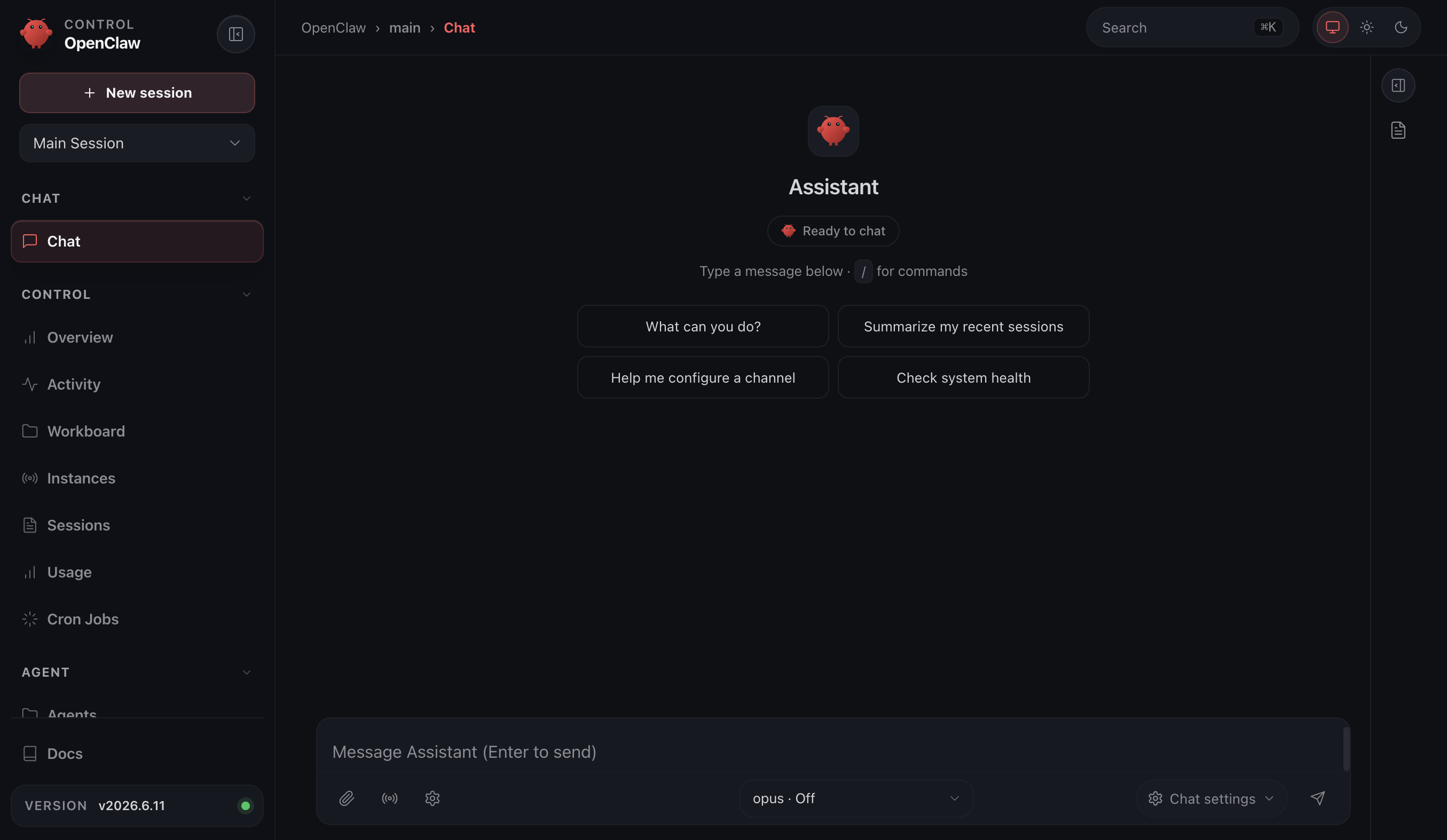
A personal AI assistant that remembers what it learns and reaches you wherever you are — OpenClaw is an open-source agent gateway built by the OpenClaw Foundation with 247,000+ GitHub stars. It connects to 200+ LLM models through providers like Anthropic, OpenRouter, and OpenAI, and meets you on 21+ messaging channels: Telegram, Slack, Discord, WhatsApp, Signal, iMessage, Matrix, and more. Persistent memory with full-text search lets the agent recall context across sessions, and a self-improving skills system means it gets more capable the longer it runs. Voice wake words and talk mode enable hands-free interaction on macOS, iOS, and Android. A live canvas provides an agent-driven visual workspace. Built-in browser automation, cron scheduling for unattended tasks, and subagent spawning for parallel workstreams round out the toolset. The gateway architecture keeps all sessions, credentials, and conversation history on your own server — nothing transits a third-party cloud unless you choose to connect one. The API key you provide for your chosen LLM provider powers the underlying calls; billing goes through your own account. Running on a dedicated VPS with guaranteed CPU, RAM, and SSD, full root SSH access, and a browser serial console. MIT licensed.
OpenHands
Welcome to OpenHands, where your code gets a personal assistant that’s smarter than your average bear and way less likely to steal your picnic basket! Imagine a world where your AI-powered agents take on the grunt work of coding—modifying code, running commands, and even browsing the web for those elusive StackOverflow snippets—while you sit back, sip your coffee, and ponder the meaning of life (or at least the meaning of that last bug). With OpenHands, you can finally say goodbye to the days of mind-numbing repetition and hello to the exhilarating thrill of tackling complex problems that actually require your brainpower. It’s like having a team of tiny, tireless developers at your beck and call, minus the awkward office small talk and the questionable coffee choices. So why not let OpenHands do the heavy lifting while you unleash your inner coding Picasso? Because let’s face it, your genius is better spent on creating masterpieces, not wrestling with the mundane. Join the revolution and give your coding life a much-needed upgrade—your future self will thank you!
It Tools
The utilities engineers otherwise scatter across a dozen ad-laden websites - 80+ of them - live together in IT-Tools, one fast, polished web app. Crypto covers JWT decoding, MD5 through SHA-512 hashing, HMAC and bcrypt generation, RSA key pairs, and password strength analysis. Converters handle JSON to CSV, YAML, and TOML, Base64 files, URL encoding, HTML entities, color formats, and Docker run commands to Compose files. Generators produce UUIDv4, ULID, BIP39 mnemonics, QR codes (including Wi-Fi QR), and tokens; text tools include a regex tester, diff viewer, slug and case converters; web utilities parse URLs and user agents, look up HTTP status codes and MIME types, and inspect Open Graph metadata; plus a cron parser, chmod calculator, and more. The privacy argument is the point: JWTs contain user IDs, hashes derive from passwords, JSON dumps hold PII - exactly the inputs you least want a third-party utility site to log. IT-Tools is a frontend-only static bundle (Vue/TypeScript, GPL-3.0, 39k+ GitHub stars) served by Nginx in one container, so everything runs client-side on your infrastructure with nothing transmitted anywhere. New tools ship roughly monthly, and a scaffolding script makes adding custom ones straightforward.
Activepieces
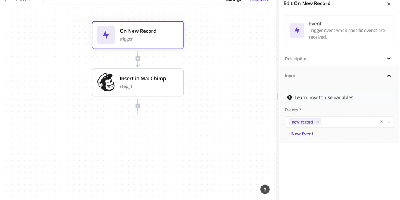
Zapier's job, on your own server: Activepieces is an open-source workflow automation platform built to be exactly that replacement. Flows are built in a visual no-code editor with triggers, actions, loops, conditional branches, auto-retries, raw HTTP steps, and code steps that run JavaScript or TypeScript with full npm package support. Integrations are "pieces" - type-safe TypeScript npm packages with hot reloading for local development - and the catalog spans 600+ services, with the large majority contributed by the community. The platform is AI-first in two directions: native AI pieces call OpenAI, Anthropic, Google, and Azure models inside flows, and every piece automatically doubles as an MCP server, so assistants like Claude Desktop and Cursor can invoke your integrations and workflows through natural language. A built-in MCP server also exposes 30 tools for building flows, managing tables, and running tests agentically. Flows are fully versioned with draft and locked states. The core is MIT-licensed and runs on TypeScript with PostgreSQL and Redis.

Joplin
Notes on Windows, macOS, Linux, Android, iOS, and the terminal, synced through your own server: Joplin pairs its open-source clients with Joplin Server, the official self-hosted backend that replaces Dropbox, OneDrive, or Nextcloud as the synchronization target. Notes are Markdown with inline attachments (images, PDFs, audio), organized into hierarchical notebooks and sub-notebooks with cross-cutting tags, alongside to-do lists with reminders and alarms. End-to-end encryption is the headline feature: enabled in the clients, it encrypts sync payloads on-device before upload, so the server stores blobs it cannot read - genuine protection even if the host is compromised. The desktop app offers both Rich Text and Markdown editors, extended by a plugin ecosystem, custom themes, and an Extension API for writing your own scripts; a Web Clipper for Chrome and Firefox captures full pages or screenshots straight into notebooks. Joplin Server ships as a Docker image with SQLite for evaluation and PostgreSQL for production, offers a filesystem storage driver for large content, and includes multi-user support and note sharing - all free under AGPL-3.0 when self-hosted. Notes stay in an open format, so the exit path always exists.
Morphic
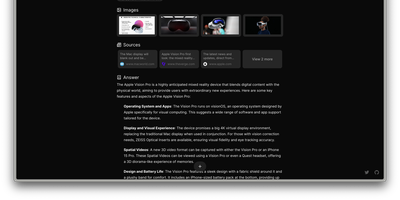
Perplexity's answer-engine experience, self-hostable and open-source: Morphic searches the web and writes cited answers. Instead of returning a list of links, it searches the web, reads the sources, and generates a complete answer with inline numbered citations. The generative UI streams rich components, source cards with thumbnails, image grids, syntax-highlighted code, and LaTeX math, rather than plain markdown. Quick mode answers fast; Adaptive mode runs deeper multi-step research. Search backends are pluggable: the Docker Compose bundle ships with a private SearXNG instance so no search API key is required, and Tavily, Brave, and Exa are supported alternatives. LLM providers include OpenAI, Anthropic, Google, Ollama, and any OpenAI-compatible endpoint, with per-mode model mapping - fast, cheap models for quick searches, stronger models for adaptive research, tuning the cost-quality trade-off per query type. An inspector panel exposes tool execution during multi-step research, and AI-suggested follow-up questions keep an investigation moving. Chat history persists in PostgreSQL, results are shareable by URL, file uploads feed context into queries, and optional Supabase authentication adds multi-user or guest access. Because the default search path is your private SearXNG instance, research topics never hit a commercial search API - and with local Ollama models the marginal cost of a query approaches zero. Built with Next.js, TypeScript, and the Vercel AI SDK under Apache 2.0.
Heimdall
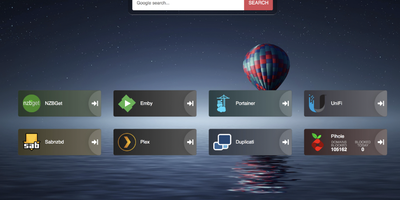
Links stop drowning in browser bookmarks once Heimdall - the application dashboard from the LinuxServer.io team - gives every web app and service you run a single, organized front door. Items come in three tiers. Generic items link to anything on the web with a name, color, and optional icon. Foundation apps are recognized as you type, auto-filling the application's icon and tile color so a full homelab dashboard assembles in minutes. Enhanced apps go further: supply API credentials and the tile shows live data - queue size and download speed for SABnzbd and NZBGet, plus integrations for Sonarr, Radarr, Plex, Jellyfin, Pi-hole, Portainer, Transmission, and many more. There are no iframes and no apps-within-apps; tiles are honest links with real-time stats layered on. Tiles arrange by drag and drop, backgrounds are customizable, an optional search bar (Google, Bing, or DuckDuckGo) makes it work as a browser start page, and optional multi-user authentication keeps dashboards personal. Built on Laravel with SQLite file-based storage - no external database - it stays light, responsive on mobile, and simple to back up. A natural first deployment: the page that ties every other self-hosted service together.
Homarr
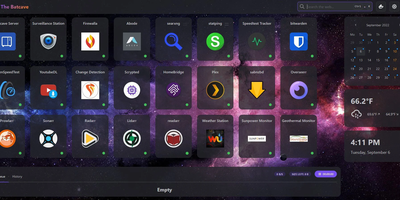
A single pane of glass for every service you run, arranged by drag-and-drop with no YAML or JSON files: Homarr is the modern dashboard for self-hosted infrastructure. Its grid system arranges apps, widgets, and bookmarks on desktop or touch, backed by an icon picker with over 11,000 icons. What separates Homarr from static launchers is 50+ live integrations: Plex, Jellyfin, and Emby media stats, the *arr suite (Sonarr, Radarr) with a unified release calendar, download clients, Pi-hole and AdGuard Home controls, Proxmox, Home Assistant, OPNsense, and Unifi monitoring. Widgets update in real time over WebSockets (tRPC and Redis under the hood), and a built-in search queries thousands of data points across connected services. Custom widgets extend the reach to any HTTP API without code: define endpoint, auth, and refresh interval in the management UI, then render responses as stat grids, tables, progress bars, status indicators, action buttons, or full custom JSX layouts - with an AI-prompt helper for generating templates. Multi-user support is first-class: credentials, OIDC, or LDAP sign-on, groups with granular permissions, and secrets encrypted with AES-256-CBC. A robust background-job system scales it from a Raspberry Pi homelab to deployments serving hundreds of users.
Wiki.js
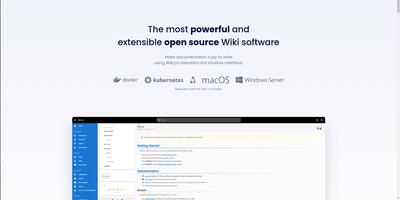
Team and product documentation on a fast Vue frontend with PostgreSQL storage: Wiki.js is a Node.js wiki engine. Its distinguishing trait is per-page editor choice: authors pick Markdown with live preview, a WYSIWYG visual builder for non-technical writers, or raw HTML, page by page. Native Git synchronization commits every page change to GitHub, GitLab, Bitbucket, Azure DevOps, or any Git remote - bi-directionally, so edits made in the repository flow back into the wiki - giving documentation version-controlled backup for free. Authentication coverage is among the broadest of any self-hosted wiki: local accounts with self-registration, social login via Google, GitHub, Discord, and Slack, and enterprise SSO through LDAP/Active Directory, SAML, CAS, Auth0, Okta, Azure AD, Keycloak, and generic OAuth2/OIDC, with optional MFA. Built-in full-text search runs on PostgreSQL with zero setup, and external engines like Algolia or Solr can substitute. Page history with visual version comparison, granular group-based permissions per path, nested navigation menus, 50+ integration modules, and full localization round it out. AGPLv3-licensed with a 28k-star community.
Radicale
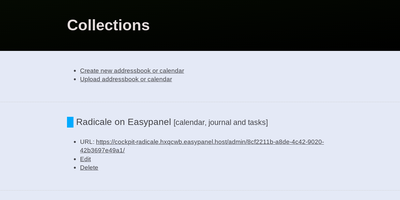
Calendars, to-do lists, journal entries, and contacts, synced over the open CalDAV and CardDAV standards nearly every client already speaks: Radicale is a small pure-Python server that works with Thunderbird, DAVx5 on Android, Apple Calendar and Contacts, GNOME, and many more. Its defining design choice is radical simplicity: there is no database. Events live as plain .ics files and contacts as .vcf files in an ordinary folder structure, which makes backup a copy command, migration a move, and disaster recovery a matter of reading text files. The server works out of the box with no complicated setup, then grows as needed: flexible authentication (htpasswd files among other methods), per-collection authorization rules, TLS-secured connections, and a plugin system for extending storage, auth, and rights handling. Built-in limits on parallel connections, file sizes, and failed authentication attempts harden it for network exposure behind a reverse proxy. A bundled web interface handles creating and managing calendars and address books - useful since many clients cannot create collections themselves. Maintained since 2011 with 140+ contributors, GPLv3-licensed, and light enough to run on the smallest VPS or a Raspberry Pi.
OpenSpeedTest
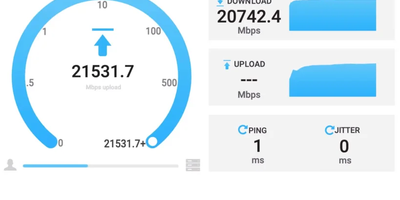
Meet OpenSpeedTest, the Usain Bolt of online bandwidth testers! This nifty tool doesn't need the old-school Flash or Java to flex its muscles. It's like a digital speedometer for your internet, ready to clock your connection from the slow-motion 1 Kbps crawl all the way to the warp-speed 1 Gbps+ sprint. OpenSpeedTest is a tech-savvy fortune teller; it magically predicts your stable download and upload speeds using the latest wizardry in web tech. And it's not just about numbers; it dishes out pro tips to turbocharge your internet experience. Fancy being a speed test maestro? You can whip up your own network speed showdown without any pesky plugins. Embed it into your website or app, and voila! Your users can test their net velocity without ever bidding adieu to your page. Perfect for the home office or the corporate empire, OpenSpeedTest is the go-to for DIY or large-scale, self-hosted network speed tests. And with RepoCloud hosting, you'll be saving more coins than a video game plumber, all while enjoying the open-source camaraderie!
PsiTransfer
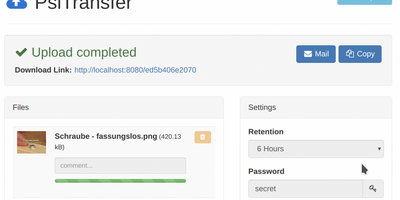
Upload files, get a share link, let it expire: PsiTransfer is a self-hosted WeTransfer with no accounts, no logins, and no third-party cloud with size caps and metadata harvesting. The engineering focus is large files over imperfect networks. Uploads use the tus.io resumable protocol, so a dropped connection on a multi-gigabyte video resumes exactly where it stopped once you're back online; downloads support HTTP range headers for the same resilience, and everything streams, so file size is bounded by your disk rather than memory. Files organize into upload buckets with retention you control: expire after a set time (up to weeks) or after a one-time download, with automatic cleanup when links lapse. Recipients need nothing installed - they open the link, preview files in modal views, and grab everything as a zip or tar.gz archive with one click. Buckets can be password-protected (AES-encrypted download lists), and security-through-obscurity is done properly: bucket URLs use hashed UUID tokens and stored filenames are replaced with UUIDs. An optional admin page (enabled by setting an admin password) lists bucket information and storage. The Vue.js frontend ships under 100 KB gzipped and is fully responsive. Honest caveat from the author: no end-to-end payload encryption yet. BSD-licensed, Docker-ready.

LibreChat
Every major model provider behind one ChatGPT-style interface: LibreChat spans OpenAI, Anthropic, Google, Azure, AWS Bedrock, Vertex AI, Groq, Mistral, OpenRouter, DeepSeek, and any OpenAI-compatible endpoint including local Ollama. You can switch models mid-conversation and compare providers without changing tools. Its Agents framework builds no-code custom assistants with tool access via Model Context Protocol servers, file search over uploaded documents through an optional pgvector-backed RAG service, and a sandboxed Code Interpreter that executes Python, JavaScript, Go, C++, Java, PHP, and Rust. Artifacts render React components, HTML, and Mermaid diagrams directly in chat, and image generation works through DALL-E and other configured providers. Multi-user support is enterprise-grade, with OAuth, SAML, LDAP, and two-factor authentication, per-user conversation history in MongoDB, and Meilisearch-powered search across all messages and files, plus reusable presets, forkable threads, and persistent memory across conversations. The economics favor teams: instead of a ChatGPT Plus seat per person, everyone shares one instance billed per API token, with access to every provider rather than one - and providers see individual API calls, not your accumulated organizational knowledge. Deployment is Docker Compose; API keys and endpoints are configured through .env and librechat.yaml.
Freshrss
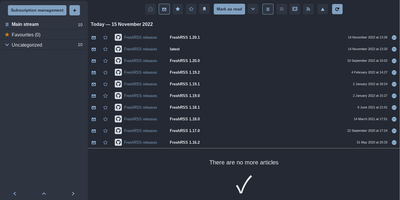
Where Miniflux strips reading down, FreshRSS gives you knobs - the feature-rich pole of self-hosted RSS, comfortable with thousands of feeds. It's a multi-user PHP aggregator (host family and friends on one instance, with an anonymous reading mode) with the reading workflow refined over a decade: favorites, custom tags, powerful filter and search queries, three reading views, and statistics that reveal each site's publishing frequency - useful for pruning subscriptions. Two properties make it the standard choice. First, the Google Reader-compatible API (plus a Fever API) syncs with virtually every serious RSS client - Reeder, NetNewsWire, ReadYou, FeedMe, Fluent Reader - so your phone reads from your server. Second, native WebSub support means compatible sources (WordPress, Blogger, Medium, Friendica) push new articles instantly instead of waiting for polling. A 50+ extension ecosystem adds what truncated feeds omit - full-text content fetching, reading-time estimates, trending views, auto-unsubscribe for dead feeds - alongside community themes and custom CSS. OPML import/export keeps subscriptions portable, a CLI handles administration, and article sharing posts to many services. AGPL-licensed, running on SQLite, MySQL, or PostgreSQL. Feedly Pro's feature set, minus Feedly's subscription and its algorithms.
Chatpad
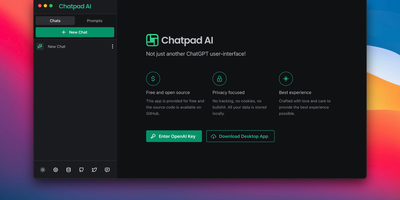
Why should your chat history live on someone else's servers? Chatpad AI - a React/TypeScript front end for the OpenAI API, built on the Mantine component library - is designed around that question. Enter your own OpenAI API key and start chatting with GPT models; every conversation, prompt, and setting is stored locally in your browser via DexieJS over IndexedDB, with no tracking, no cookies, and no backend database at all. That architecture is the point - the Docker image is just Nginx serving static files, making it one of the lightest AI deployments in the catalog, and pay-per-token API pricing typically undercuts a ChatGPT Plus subscription for moderate use. The interface earns its "premium quality" tagline with the details: a persona selector that switches communication styles per conversation, a saved-prompts library for messages you reuse constantly, organized chat history, and full data export/import so conversations move between browsers or into backups as files you control. A JSON config file customizes defaults - models, API endpoints, UI options - without rebuilding the image. AGPL-licensed, with desktop builds available upstream. For teams that want ChatGPT's utility with a self-hosted, zero-telemetry footprint, Chatpad is the minimal, sane answer.
Hasty Paste
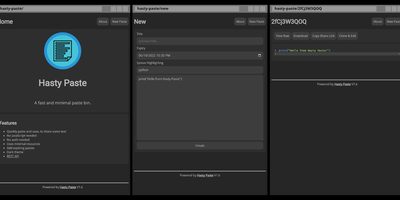
Paste some text, hit save, share the link - Hasty Paste is a fast, minimal pastebin written in Python on the async Quart framework, named, by its author's own admission, "because you use it so fast without a care in the world." No accounts, no authentication, no friction - built for the everyday case of handing a debug log, config snippet, or stack trace to someone in tech support or a chat channel. Pastes get randomly generated IDs, with an optional "long" ID mode that makes brute-force URL guessing impractical, and expiry times ensure throwaway content actually gets thrown away. Optional Pygments syntax highlighting makes code readable, a dark theme spares your eyes, and the whole interface works without JavaScript - it renders in terminal browsers and under the strictest script blockers. Storage is a custom flat-file system (no database), caching runs internally or through Redis for busier instances, and a REST API plus the companion "Hastily Paste It" CLI script enable piping command output straight into a paste from the terminal. The Alpine-based Docker image is tiny, resource usage is minimal, and the license is AGPL.
Tolgee
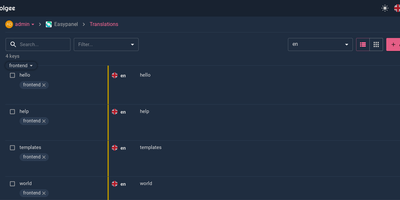
Hold Alt/Option, click any string in your running app, and edit the translation in place: Tolgee is an open-source localization platform built the way developers wish translation worked - changes save straight to the platform with no hunting through JSON or PO files. In-context editing works even in production via the Tolgee Tools browser extension, which injects credentials without touching source code, so a client or colleague with zero coding skills can translate the product inside the product. The SDKs (React, Angular, Vue, Svelte, plus iOS and Android) extract context from each UI element and capture one-click screenshots, giving both human translators and machines the surrounding meaning that raw string files lose. Autonomous translation uses that context: new keys are instantly filled from translation memory or machine translation (DeepL, Google Translate, AWS Translate), with optional human review afterward - shipping no longer waits on a translation agency. A CLI handles import/export, a REST API covers automation, a Figma plugin bridges design, and an MCP server lets AI coding assistants search keys, create translations, and trigger machine translation without leaving the editor. Self-hosting this Crowdin/Phrase/Lokalise alternative keeps every string, screenshot, and API key on your infrastructure.