Wiki.js
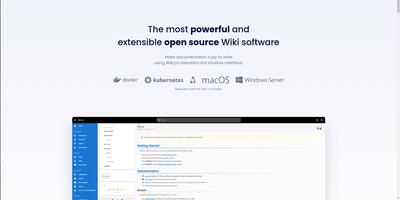
Team and product documentation on a fast Vue frontend with PostgreSQL storage: Wiki.js is a Node.js wiki engine. Its distinguishing trait is per-page editor choice: authors pick Markdown with live preview, a WYSIWYG visual builder for non-technical writers, or raw HTML, page by page. Native Git synchronization commits every page change to GitHub, GitLab, Bitbucket, Azure DevOps, or any Git remote - bi-directionally, so edits made in the repository flow back into the wiki - giving documentation version-controlled backup for free. Authentication coverage is among the broadest of any self-hosted wiki: local accounts with self-registration, social login via Google, GitHub, Discord, and Slack, and enterprise SSO through LDAP/Active Directory, SAML, CAS, Auth0, Okta, Azure AD, Keycloak, and generic OAuth2/OIDC, with optional MFA. Built-in full-text search runs on PostgreSQL with zero setup, and external engines like Algolia or Solr can substitute. Page history with visual version comparison, granular group-based permissions per path, nested navigation menus, 50+ integration modules, and full localization round it out. AGPLv3-licensed with a 28k-star community.
BulkTestZola
Tired of waiting for your static site generator to finish building while you age gracefully? Zola is the Rust-powered speed demon that compiles your entire site before your coffee gets cold. One binary, zero dependencies, infinite smugness when you tell Jekyll users about your build times. Deploy on RepoCloud and watch your sites materialize at the speed of light!
Grav
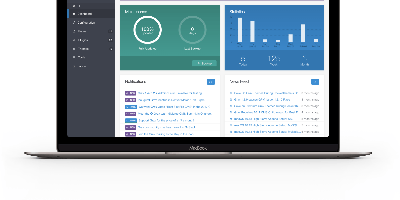
No database anywhere in the stack: Grav, the leading flat-file CMS, builds every page from a folder of Markdown and YAML on PHP, Symfony components, Twig templating, and Doctrine caching. That architecture is the whole argument: content is Git-versionable, rsync-able, and lock-in-free; pages render in well under 100ms without database round-trips; and backup means copying a directory. Content authors write Markdown (or plain HTML), configure with readable YAML, and define custom page structures via blueprint files that generate editing forms automatically. The optional Admin panel adds a polished editing layer: dashboard with site activity, page management with a syntax-highlighted editor and live preview, drag-and-drop media uploads, one-click plugin/theme updates, and normal/expert modes for form-based or raw YAML editing. The ecosystem runs deep - hundreds of open-source plugins and themes installed through the GPM package manager, with an event-hook architecture that gives plugins full control over the request lifecycle, and downloadable skeletons providing entire pre-built sites. Grav 2.0 modernizes the stack (PHP 8.3+, Symfony 7, Twig 3) and adds a first-party REST API, an MCP server for AI agents, and a SvelteKit single-page admin with real-time collaborative editing. Ideal for docs, blogs, and marketing sites. MIT-licensed.
Dokuwiki
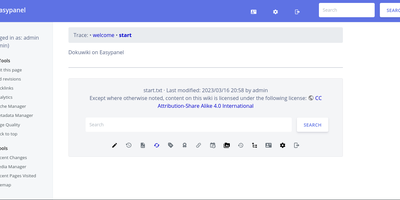
Unleash the power of collective knowledge with DokuWiki, the open-source wiki wizard that's as easy to use as a peanut butter sandwich (minus the sticky fingers). No database? No problem! DokuWiki's got you covered with its sleek syntax that's as clean as your grandpa's Sunday hat. It's the apple of the eye for admins everywhere, thanks to its no-sweat maintenance, backup simplicity, and plug-and-play integration. Lockdown your secrets or share your smarts with DokuWiki's built-in Fort Knox-like access controls and authentication magic. Whether you're building a digital library of Alexandria or just jotting down your world-changing ideas, DokuWiki's plugin treasure trove transforms it from a mere wiki into your digital Swiss Army knife. Collaborate like a band of merry scribes, with swift updates and a historical archive of every brainwave and typo. Ideal for everything from a corporate brain bank to your personal idea dump, a how-to guide, a team's digital war room, or even an intranet that doesn't make you yawn. And with RepoCloud hosting, you'll be saving more dough than a budget bakery, all while customizing your DokuWiki experience from newbie-friendly tweaks to crafting your own digital extensions. So why wait? Make DokuWiki your go-to for shared wisdom without the heavyweight price tag!
Gitea
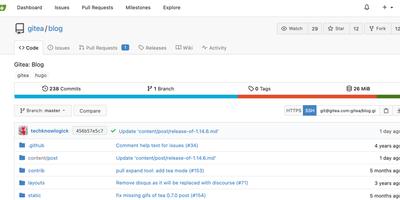
Get ready to turbocharge your code capers with Gitea, the DevOps dynamo that's lighter than a feather and slicker than a greased byte! This nifty platform is your one-stop shop for herding those pesky code commits from the wild plains of planning all the way to the bustling metropolis of production. Fancy a stroll through the annals of commit history? Gitea's got you covered. Need to merge like a pro? Check. And for the Git gurus, we're talking tags, cherry-picking fiestas, and hooks that would make Captain Hook jealous. But wait, there's more! Unleash the power of Gitea Actions, the CI/CD sidekick that plays nice with GitHub Actions, ensuring your deployment dance is as smooth as a robot doing the moonwalk. Juggle issues, labels, and kanban boards like a coding circus star, and manage over 20 flavors of package management – because variety is the spice of source code. Hosted on RepoCloud, where the cost is as tiny as a bug in a nano-simulator, Gitea is the open-source hero that's all about flexing to fit your workflow, while keeping things tighter than a duck's waterproof feathers when it comes to security. So why settle for less when you can customize, collaborate, and create with the best, all while saving your coins? Gitea and RepoCloud: where code dreams come true, without the nightmare bills!
Outline Wiki
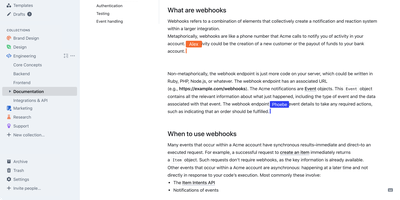
Get ready to turbocharge your team's brainpower with Outline! Imagine a digital treehouse where all your team's knowledge is not just thrown in haphazardly, but organized with the finesse of a library catalog. With Outline, you'll be crafting documents like a pro, thanks to its slick markdown support, nifty slash commands, and the ability to embed pretty much anything. Wave goodbye to the chaos of collaboration; real-time editing, threaded conversations, and comments mean you'll be in sync faster than you can say 'knowledge is power!' And for those who live in Slack, Outline's like the cool neighbor that never makes you leave your chat to search or share docs. Want to show off your brand's swagger? Go public with your docs, decked out in your brand's colors and logo, right on your own domain. It's like having a custom-tailored suit for your content. Speedy, secure, and simpler than a Sunday morning - Outline is the multilingual maestro of your team's symphony, playing well with Figma, Loom, and a whole orchestra of tools. And hosting it on RepoCloud? That's like getting first-class seats for your data at a budget airline price!
Typesense
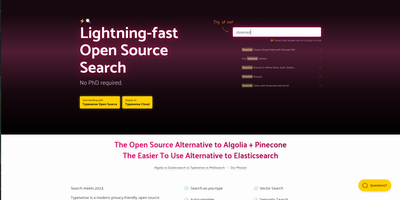
Get ready to turbocharge your search experience with Typesense, the search engine that laughs in the face of typos and serves up results faster than you can say 'instantaneous'! This open-source marvel is the cool cousin of Algolia and the more approachable neighbor of ElasticSearch. With its built-in typo tolerance, Typesense is like that forgiving friend who understands what you mean, even when you text 'tacos' as 'tcoas'. Zipping through queries with the speed of a caffeinated cheetah, it boasts a response time that's quicker than a hiccup (<50ms, to be precise). Tailor your search like a bespoke suit, sort results like a card shark, and refine like a master sommelier with faceting and filtering. It's got more grouping and federating tricks than a magician's convention, and it knows the lay of the land with geo-search capabilities. Plus, with API key generation, it's the perfect wingman for multi-tenant app shindigs. Easy to set up and scale, Typesense is your golden ticket to search nirvana, and with RepoCloud's wallet-friendly hosting, you'll be the toast of the open-source town!
Netbox
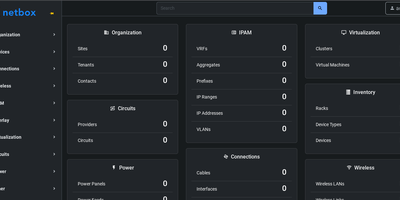
Get ready to crown NetBox as the reigning monarch of your network kingdom! This all-encompassing wizardry tool is your go-to grimoire for every byte and bolt in your digital dominion. From the mystical lands of power circuits to the vast expanse of virtual vistas, NetBox conjures up a crystal-clear map of your network's noble lineage, including IP addresses, VLANs, and the secret tunnels of cabling. It's like having a network nanny, but instead of babysitting, it's automating and monitoring your network's every move, ensuring your configurations are as sharp as a knight's sword. With NetBox, you'll be the Merlin of DCIM, wielding visibility and control over your enterprise realm with the ease of a magic wand. And when it comes to IP Address Management, think of it as your enchanted spell book, safeguarding your IP treasures from the dragons of data entry blunders. Customizable to the core, NetBox is ready to integrate and expand, fitting into your kingdom like the perfect piece in a game of thrones. Host it on RepoCloud, and you'll save enough gold to fill a dungeon, all while keeping the open-source spirit alive and kicking!
HedgeDoc
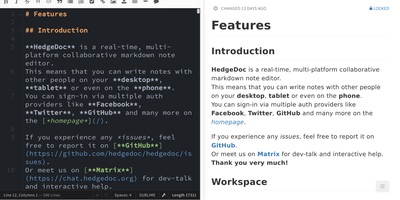
Real-time collaborative Markdown behind your own firewall: HedgeDoc (formerly CodiMD, descended from HackMD's open-source edition) keeps team notes on team infrastructure. Share a note's URL and collaborators are editing together instantly - live cursors, changes appearing keystroke by keystroke - in a three-mode interface that toggles between raw Markdown, rendered preview, and side-by-side split. The Markdown dialect is extended where engineers need it: Mermaid, Graphviz, and Vega-Lite diagrams, MathJax for equations, syntax-highlighted code blocks, embedded content, and a presentation mode that turns a note into reveal.js slides with a single YAML header. A dropdown permission system controls each note - freely editable, limited to signed-in users, or locked read-only - and published notes become clean read-only pages for wider distribution. Revisions track every change with the ability to revert to any earlier version. The AGPL-3.0 codebase is light enough to run on a Raspberry Pi and deploys via Docker with PostgreSQL, MySQL, or SQLite. Authentication covers LDAP, SAML, OAuth2, and email. It deliberately stays a focused document editor - no page trees or kanban - and does that one job with excellent keyboard-first ergonomics for meeting notes, RFCs, runbooks, and shared scratchpads.
Answer
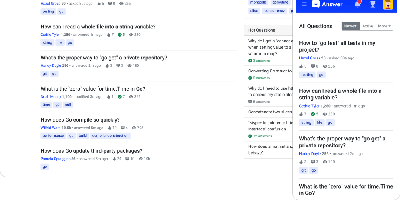
Run a Stack Overflow of your own: Apache Answer brings the question-and-answer format in-house, maintained under the Apache Software Foundation with an Apache-2.0 license. You use it to run a community forum, product help center, or internal knowledge base where content lives as questions and answers rather than wiki pages. It ships the mechanics that make that format work: voting, accepted answers, a reputation system with privilege levels, tagging, full-text search with filters, revision history on every edit, and admin/moderator/user roles. Content is written in Markdown with real-time preview and code syntax highlighting. A plugin system covers OAuth login (Google, GitHub), S3 storage, external search backends like Algolia, and Akismet anti-spam, and a REST API exposes platform data for integration. The backend is Go, the frontend React, and it runs against SQLite, MySQL, or PostgreSQL. Self-hosting replaces per-seat tools like Stack Overflow for Teams with a flat-cost instance where you own all the content.
Bookstack
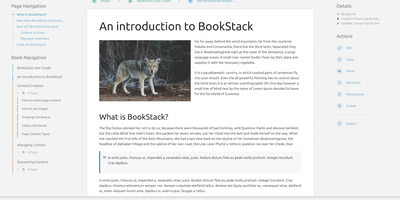
Most wikis die of flat page-and-tag sprawl; BookStack's defining decision is enforced structure - an MIT-licensed PHP/Laravel platform (over MySQL) where content lives in a hierarchy of shelves, books, chapters, and pages, the way a physical library works. A shelf maps to a department, a book to "Engineering Runbooks," a chapter to "Database Procedures," a page to the actual document. That opinionation removes the "where does this go?" friction and keeps knowledge bases tidy as they grow. Editing works both ways: a clean WYSIWYG editor for most users, a Markdown editor with live preview for those who prefer it - switchable per page. Full-text search spans all books or scopes to one, with direct links to individual paragraphs, and include tags let you embed one page's content inside another so shared blocks update everywhere at once. Every edit creates a diffable, revertible revision. Page templates standardize recurring formats, tags add cross-cutting categorization, and built-in diagrams.net integration draws architecture diagrams in place. Authentication covers email/password plus OIDC, SAML2, LDAP, and social login; a full role and permission system locks content down per shelf, book, or page. Pages and books export to PDF, HTML, plain text, and Markdown, a REST API automates content, and the whole thing runs happily on the cheapest VPS you can find.
CodeX Docs
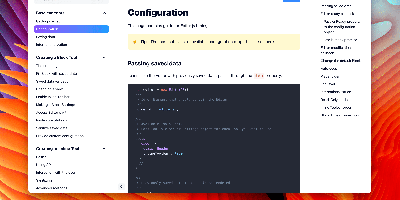
Writing docs should feel like editing a modern document, not wrangling Markdown files - CodeX Docs delivers that on Editor.js, the block-styled editor its CodeX team builds and thousands of products use. Content is composed from clean blocks (headings, lists, code, images, embeds) with a UI that reads well on both desktop and mobile, and pages render statically with human-readable, SEO-friendly URLs. Structure is free-form: pages nest to any depth, so a flat FAQ and a deep product manual coexist in one instance, and the UI tunes to fit - collapse sections, hide the sidebar. The operational footprint is deliberately tiny. No database is required: the default driver persists to a local folder, with MongoDB available when you want it, and the whole app configures through one YAML file (overridable with APP_CONFIG_ environment variables) covering title, start page, auth password, and JWT secret. Editing mode sits behind password authentication. Thoughtful extras are wired in: readers can report misprints straight to your Telegram or Slack, Hawk error tracking catches frontend and backend exceptions, and Yandex Metrica analytics is a one-line config. A ready-made Helm chart covers Kubernetes. Written in TypeScript.

Documize
Enterprise documentation discipline without enterprise infrastructure: Documize Community is the Confluence alternative built on exactly that trade. The entire platform - Go backend, Ember.js frontend - compiles to a single executable binary for Linux, Windows, and macOS with zero runtime dependencies: no Elasticsearch, no Redis, no JVM. Point it at PostgreSQL, MySQL, MariaDB, Percona, or Microsoft SQL Server (rare in open source, decisive in Microsoft shops), and schema migrations run on launch with native full-text search on whichever engine you chose. Content organization rejects nested-folder sprawl for Spaces, categories, and labels, and the section-based composable editor mixes rich text, Markdown, code blocks, PDFs, diagrams, and embedded Jira or Trello content in one document, with reusable blocks and templates so teams start from standards rather than blank pages. It deliberately unifies internal team docs and customer-facing documentation in one system with granular space-, document-, and action-level permissions deciding who sees what. Where wikis stop, Documize continues: content approval workflows (draft, review, approve, publish), version management, lifecycle control, feedback capture, PDF export, analytics showing what gets read and ignored, activity streams, and audit logs. Keycloak, LDAP, and SSO integrate for enterprise auth. AGPL-licensed.
Trilium Notes
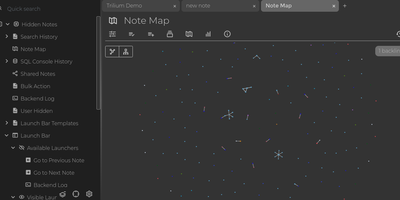
For people whose notes number in the tens of thousands, Trilium Notes is the hierarchical note-taking application built specifically for large personal knowledge bases - actively maintained as TriliumNext. Notes arrange into arbitrarily deep trees where every note is both content and container, and cloning lets a single note live in multiple places at once - bash notes belong under both Linux and Scripting, and Trilium refuses to make you choose. A WYSIWYG editor handles rich text, tables, math, and syntax-highlighted code blocks with Markdown-style shortcuts, while dedicated note types cover Excalidraw sketches, mind maps, geo maps with GPX tracks, relation maps that visualize connections between notes, and tables with typed columns. The attribute system is the power layer: labels attach queryable metadata (#year=1999, #author), relations create named links between notes, and both inherit down the tree - feeding full-text search, saved queries, and scripting. Scripting is Trilium's deepest differentiator: JavaScript code notes run on events like note changes or hourly schedules, build custom widgets, and add server-side logic, turning the knowledge base into a programmable platform. Protected notes encrypt sensitive content, note hoisting focuses on subtrees, and the self-hosted server syncs desktop clients across devices.