Joplin
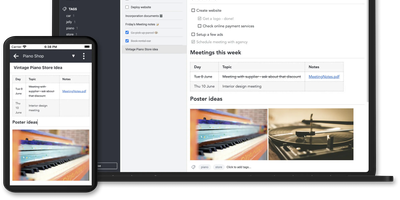
Notes on Windows, macOS, Linux, Android, iOS, and the terminal, synced through your own server: Joplin pairs its open-source clients with Joplin Server, the official self-hosted backend that replaces Dropbox, OneDrive, or Nextcloud as the synchronization target. Notes are Markdown with inline attachments (images, PDFs, audio), organized into hierarchical notebooks and sub-notebooks with cross-cutting tags, alongside to-do lists with reminders and alarms. End-to-end encryption is the headline feature: enabled in the clients, it encrypts sync payloads on-device before upload, so the server stores blobs it cannot read - genuine protection even if the host is compromised. The desktop app offers both Rich Text and Markdown editors, extended by a plugin ecosystem, custom themes, and an Extension API for writing your own scripts; a Web Clipper for Chrome and Firefox captures full pages or screenshots straight into notebooks. Joplin Server ships as a Docker image with SQLite for evaluation and PostgreSQL for production, offers a filesystem storage driver for large content, and includes multi-user support and note sharing - all free under AGPL-3.0 when self-hosted. Notes stay in an open format, so the exit path always exists.
Wiki.js
Team and product documentation on a fast Vue frontend with PostgreSQL storage: Wiki.js is a Node.js wiki engine. Its distinguishing trait is per-page editor choice: authors pick Markdown with live preview, a WYSIWYG visual builder for non-technical writers, or raw HTML, page by page. Native Git synchronization commits every page change to GitHub, GitLab, Bitbucket, Azure DevOps, or any Git remote - bi-directionally, so edits made in the repository flow back into the wiki - giving documentation version-controlled backup for free. Authentication coverage is among the broadest of any self-hosted wiki: local accounts with self-registration, social login via Google, GitHub, Discord, and Slack, and enterprise SSO through LDAP/Active Directory, SAML, CAS, Auth0, Okta, Azure AD, Keycloak, and generic OAuth2/OIDC, with optional MFA. Built-in full-text search runs on PostgreSQL with zero setup, and external engines like Algolia or Solr can substitute. Page history with visual version comparison, granular group-based permissions per path, nested navigation menus, 50+ integration modules, and full localization round it out. AGPLv3-licensed with a 28k-star community.
AFFiNE
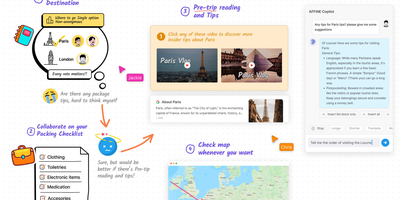
Gaining over 71,000 GitHub stars as one of the fastest-rising knowledge management platforms, AFFiNE merges the document editing capabilities of Notion, the infinite canvas of Miro, and the structured data of Airtable into a single cohesive workspace. The block-based editor built on the custom BlockSuite framework supports rich text, code blocks, embeds, tables, kanban boards, and database views with drag-and-drop composition. The whiteboard mode provides an infinite canvas where users can freely mix documents, sticky notes, shapes, connectors, and hand-drawn elements, enabling visual thinking alongside structured note-taking. Real-time collaboration allows multiple users to edit documents and whiteboards simultaneously with cursor presence, comment threads, and version history. The local-first architecture stores all data on your device by default using CRDT-based synchronization, ensuring offline access and data sovereignty, with optional cloud sync for cross-device availability. Workspaces organize content into hierarchical page trees with full-text search, favorites, tags, and trash management. The platform supports Markdown import and export, PDF export, and HTML export for interoperability. AI features powered by configurable LLM providers enable writing assistance, summarization, translation, and content generation directly within documents. The theming system supports light and dark modes with customizable accent colors. Running on a dedicated VPS on RepoCloud with guaranteed CPU, RAM, and SSD, full root SSH access, and a browser serial console. Licensed under MIT with an open-source self-hosted edition.
Logseq
Every line an indentable bullet, every bullet a first-class block that can be referenced, embedded, and queried anywhere: Logseq is a privacy-first, local-first knowledge platform built around the block outliner. The daily journal is the system's beating heart - each day opens a fresh date-stamped page where tasks, meeting notes, and fleeting ideas land as blocks without filing decisions, then connect later through [[wikilinks]] with automatic bidirectional backlinks and ((block references)) that transclude any bullet into any page. Everything persists as plain Markdown or Org-mode files on disk - git-friendly, greppable, and owned forever, with sync via iCloud, Dropbox, Syncthing, Git, or an optional end-to-end encrypted service. Built-in tooling goes beyond notes: TODO/DOING task states with scheduling, native PDF annotation with area highlights, spaced-repetition flashcards, whiteboards for visual thinking, Zotero integration for researchers, and Datalog-powered queries that build dynamic views across the entire graph. A marketplace of hundreds of community plugins and themes adds AI chat, Ollama local-model integration, and custom workflows. Written in Clojure/ClojureScript, AGPL-3.0 licensed with 320+ contributors, and completely free - the local-first Roam for people who refuse subscriptions and lock-in.
Outline Wiki
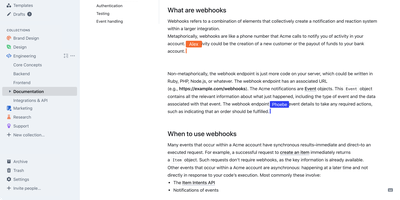
Get ready to turbocharge your team's brainpower with Outline! Imagine a digital treehouse where all your team's knowledge is not just thrown in haphazardly, but organized with the finesse of a library catalog. With Outline, you'll be crafting documents like a pro, thanks to its slick markdown support, nifty slash commands, and the ability to embed pretty much anything. Wave goodbye to the chaos of collaboration; real-time editing, threaded conversations, and comments mean you'll be in sync faster than you can say 'knowledge is power!' And for those who live in Slack, Outline's like the cool neighbor that never makes you leave your chat to search or share docs. Want to show off your brand's swagger? Go public with your docs, decked out in your brand's colors and logo, right on your own domain. It's like having a custom-tailored suit for your content. Speedy, secure, and simpler than a Sunday morning - Outline is the multilingual maestro of your team's symphony, playing well with Figma, Loom, and a whole orchestra of tools. And hosting it on RepoCloud? That's like getting first-class seats for your data at a budget airline price!
Groqnotes
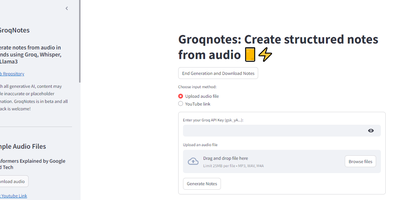
Ever wished your lecture notes could magically organize themselves while you daydream about your next coding project? Enter Groqnotes, the Streamlit app that turns your audio ramblings into structured, coherent notes faster than you can say 'Whisper API.' Using Groq's Whisper to transcribe your audio and a tag team of Llama3-8b and Llama3-70b models, this app is like having a personal assistant who never misses a detail. The larger Llama3-70b handles the heavy lifting of creating a solid note structure, while the nimble Llama3-8b fills in the content with the grace of a caffeinated coder. Say goodbye to messy notebooks and hello to organized brilliance, all without lifting a finger. Just click, speak, and let Groqnotes do the rest. It's like magic, but with more llamas.
AgentGPT
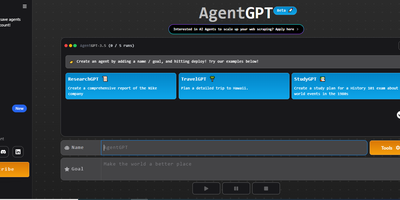
Meet AgentGPT, your personal AI sidekick that’s more ambitious than your last New Year’s resolution! Ever wanted a digital buddy who doesn’t just sit around binge-watching cat videos? With AgentGPT, you can name your own AI and send it on a quest to conquer the universe—or at least your to-do list! This little genius will brainstorm tasks, execute them with the precision of a caffeinated squirrel, and learn from its triumphs and failures (hopefully fewer of the latter). Imagine your AI trying to figure out how to make the perfect cup of coffee while simultaneously planning your next vacation. It’s like having a personal assistant who never sleeps, never eats, and definitely doesn’t judge you for that third slice of pizza. So, if you’re ready to unleash an autonomous agent that’s smarter than your average bear and more motivated than your last gym membership, hop on the AgentGPT train and watch your goals take flight! 🚀
HedgeDoc
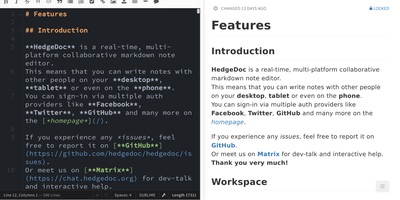
Real-time collaborative Markdown behind your own firewall: HedgeDoc (formerly CodiMD, descended from HackMD's open-source edition) keeps team notes on team infrastructure. Share a note's URL and collaborators are editing together instantly - live cursors, changes appearing keystroke by keystroke - in a three-mode interface that toggles between raw Markdown, rendered preview, and side-by-side split. The Markdown dialect is extended where engineers need it: Mermaid, Graphviz, and Vega-Lite diagrams, MathJax for equations, syntax-highlighted code blocks, embedded content, and a presentation mode that turns a note into reveal.js slides with a single YAML header. A dropdown permission system controls each note - freely editable, limited to signed-in users, or locked read-only - and published notes become clean read-only pages for wider distribution. Revisions track every change with the ability to revert to any earlier version. The AGPL-3.0 codebase is light enough to run on a Raspberry Pi and deploys via Docker with PostgreSQL, MySQL, or SQLite. Authentication covers LDAP, SAML, OAuth2, and email. It deliberately stays a focused document editor - no page trees or kanban - and does that one job with excellent keyboard-first ergonomics for meeting notes, RFCs, runbooks, and shared scratchpads.
AnythingLLM
Chat with your own documents: AnythingLLM, from Mintplex Labs, wraps retrieval-augmented generation (RAG) in an open-source application anyone can run. You organize content into workspaces, each an isolated namespace with its own documents, vector embeddings, chat history, and settings, so one instance can hold several separate knowledge bases. Upload PDFs, DOCX, TXT, and other formats, or scrape web pages; the built-in collector parses and chunks them into a vector database (LanceDB by default, with Pinecone, Chroma, Qdrant, and others supported). Answers cite their source documents. It works with both cloud LLMs (OpenAI, Anthropic, Gemini) and local ones via Ollama or LM Studio, and the embedding model is separately configurable. Beyond RAG chat, it includes AI agents that can browse the web and run tools, an embeddable chat widget for your website, a developer API, and multi-user mode with admin, manager, and default roles plus per-workspace access control. Context assembly is smarter than naive RAG: pinned documents, attached files, vector search hits, and recent chat history are combined under a token budget so the model's context window is filled efficiently, and each workspace supports multiple independent conversation threads against the same knowledge base. Because the embedding model, vector store, and chat LLM are all independently swappable, you can move between providers without re-ingesting a single document. The stack is Node.js with a React frontend, MIT-licensed.
Baserow
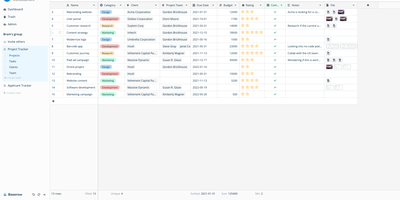
Airtable's spreadsheet-database model, self-hostable and open-source: that is Baserow. It presents data in a spreadsheet-style grid, but underneath each table is a real relational structure with typed fields, links between tables, filters, sorts, and multiple views (grid, gallery, form, kanban, calendar). Beyond the database core, it includes an application builder for composing pages and portals on your data, workflow automations, and dashboards. Everything is API-first: each table exposes a REST endpoint with token auth and webhooks, so it plugs directly into n8n, Zapier, or custom scripts. The stack is Django (Python) on the backend, Vue.js on the frontend, PostgreSQL for storage, with Redis for async tasks. Core features are MIT-licensed; premium features are a paid add-on. The self-hosted version has no row, storage, or API request limits - Airtable's per-base record caps and monthly API quotas simply don't exist here, and capacity is bounded only by your PostgreSQL database and disk. Existing Airtable bases, CSVs, and Excel files import directly with structure preserved, so migration doesn't start from a blank slate, and both the backend and frontend support plugins for custom field types and integrations without forking the core. For non-technical teammates the interface behaves like a spreadsheet; for engineers, the data model is the API.
Bookstack
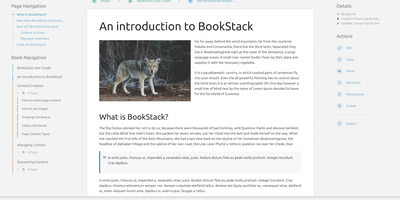
Most wikis die of flat page-and-tag sprawl; BookStack's defining decision is enforced structure - an MIT-licensed PHP/Laravel platform (over MySQL) where content lives in a hierarchy of shelves, books, chapters, and pages, the way a physical library works. A shelf maps to a department, a book to "Engineering Runbooks," a chapter to "Database Procedures," a page to the actual document. That opinionation removes the "where does this go?" friction and keeps knowledge bases tidy as they grow. Editing works both ways: a clean WYSIWYG editor for most users, a Markdown editor with live preview for those who prefer it - switchable per page. Full-text search spans all books or scopes to one, with direct links to individual paragraphs, and include tags let you embed one page's content inside another so shared blocks update everywhere at once. Every edit creates a diffable, revertible revision. Page templates standardize recurring formats, tags add cross-cutting categorization, and built-in diagrams.net integration draws architecture diagrams in place. Authentication covers email/password plus OIDC, SAML2, LDAP, and social login; a full role and permission system locks content down per shelf, book, or page. Pages and books export to PDF, HTML, plain text, and Markdown, a REST API automates content, and the whole thing runs happily on the cheapest VPS you can find.
CodeX Docs
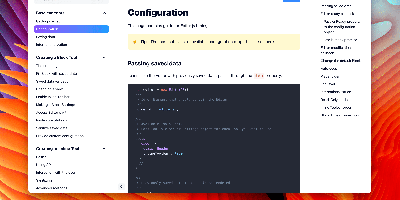
Writing docs should feel like editing a modern document, not wrangling Markdown files - CodeX Docs delivers that on Editor.js, the block-styled editor its CodeX team builds and thousands of products use. Content is composed from clean blocks (headings, lists, code, images, embeds) with a UI that reads well on both desktop and mobile, and pages render statically with human-readable, SEO-friendly URLs. Structure is free-form: pages nest to any depth, so a flat FAQ and a deep product manual coexist in one instance, and the UI tunes to fit - collapse sections, hide the sidebar. The operational footprint is deliberately tiny. No database is required: the default driver persists to a local folder, with MongoDB available when you want it, and the whole app configures through one YAML file (overridable with APP_CONFIG_ environment variables) covering title, start page, auth password, and JWT secret. Editing mode sits behind password authentication. Thoughtful extras are wired in: readers can report misprints straight to your Telegram or Slack, Hawk error tracking catches frontend and backend exceptions, and Yandex Metrica analytics is a one-line config. A ready-made Helm chart covers Kubernetes. Written in TypeScript.
Documize
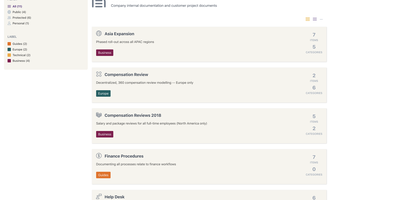
Enterprise documentation discipline without enterprise infrastructure: Documize Community is the Confluence alternative built on exactly that trade. The entire platform - Go backend, Ember.js frontend - compiles to a single executable binary for Linux, Windows, and macOS with zero runtime dependencies: no Elasticsearch, no Redis, no JVM. Point it at PostgreSQL, MySQL, MariaDB, Percona, or Microsoft SQL Server (rare in open source, decisive in Microsoft shops), and schema migrations run on launch with native full-text search on whichever engine you chose. Content organization rejects nested-folder sprawl for Spaces, categories, and labels, and the section-based composable editor mixes rich text, Markdown, code blocks, PDFs, diagrams, and embedded Jira or Trello content in one document, with reusable blocks and templates so teams start from standards rather than blank pages. It deliberately unifies internal team docs and customer-facing documentation in one system with granular space-, document-, and action-level permissions deciding who sees what. Where wikis stop, Documize continues: content approval workflows (draft, review, approve, publish), version management, lifecycle control, feedback capture, PDF export, analytics showing what gets read and ignored, activity streams, and audit logs. Keycloak, LDAP, and SSO integrate for enterprise auth. AGPL-licensed.
Focalboard
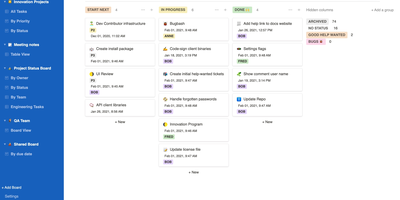
From the Mattermost team comes Focalboard, an open-source, MIT-licensed project board tool - a self-hosted alternative to Trello, Asana, and Notion databases, written in Go with a React frontend. Every board renders the same card data four ways: Kanban with drag-and-drop columns, a spreadsheet-style table, an image-forward gallery, and a calendar. Cards carry unlimited custom properties - dates, dropdowns, checkboxes, people, URLs - and boards can be grouped, filtered, and sorted by any property combination, with unlimited saved filtered views for quick access. Built-in templates cover the common workflows (meeting agendas, content calendars, project tasks, roadmaps, sprint planning), or you can build fully custom boards from scratch. Collaboration is real: card comments with @mentions, per-board permissions for teams or individuals, file attachments stored on your own infrastructure, and archiving with backup snapshots. Migration tooling imports existing boards from Trello (JSON export), Asana, and Notion, so switching does not mean starting over. It ships in 20+ languages and runs as a lightweight multi-user personal server. Worth knowing before deploying: Mattermost has shifted primary development to the integrated Mattermost Boards plugin, so the standalone edition is community-maintained - stable and functional, but evolving slowly. For teams wanting a free, private Trello without per-user fees, it remains a solid pick.
Khoj
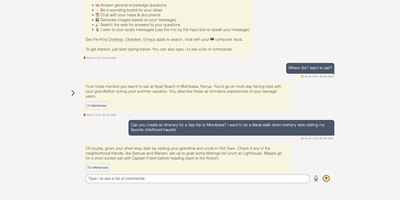
A self-hosted "second brain": Khoj indexes your own files and answers questions from them, parsing Markdown (whole Obsidian vaults included), org-mode, PDF, Word, plain text, Notion pages, GitHub repositories, and images described by a vision model, then embedding everything with sentence-transformers into a vector index for semantic search and RAG with cited sources. Any LLM backend works: local models like Llama, Qwen, or Mistral via Ollama, or cloud models like GPT, Claude, and Gemini. You can build custom agents, each with its own persona, scoped knowledge base, chat model, and tools such as web search and code execution. Scheduled automations run recurring research and deliver newsletters or notifications to your inbox, and research mode performs multi-hop web searches with inline citations. Access it from a browser, the Obsidian plugin, Emacs, desktop, or WhatsApp - all clients connect to the same self-hosted instance, making Khoj one of the few AI assistants Emacs users can point at decades of org files. Semantic search means recall works without exact keywords: "that paper about forecasting with transformers" surfaces the right PDF even when you cannot remember its title. Switching LLM backends never requires re-indexing your documents, and with a local model via Ollama, even inference stays on hardware you control - journals, research, and private notes are never sent anywhere. Python/FastAPI stack, AGPL-licensed, with PostgreSQL storage.
Memos
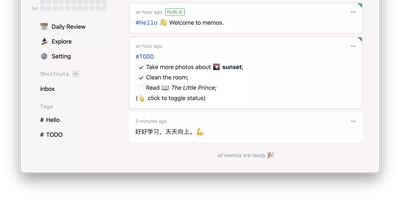
Open the page, write a Markdown note, move on - Memos is a lightweight, self-hosted service built for quick capture. Instead of folders, notebooks, and titles, it presents a timeline: open the page, write a Markdown note, and move on. Notes support headings, code blocks with syntax highlighting, task lists, tables, and file attachments, with tags auto-extracted from #hashtags in the text. Each memo carries a visibility level, private, protected (logged-in users), or public, so one instance works as a personal log, a small team wiki, or a lightweight microblog. The backend is a single Go binary with a React frontend, around 50 MB of memory at runtime and a ~20 MB Docker image, so it fits comfortably on the smallest instance size with near-zero maintenance. SQLite is the default store, with MySQL and PostgreSQL supported for multi-user deployments needing more concurrency, and full REST and gRPC APIs - Connect RPC for browsers, gRPC-Gateway for external tools - make capture scriptable from CLIs, bots, and automation platforms. Fast full-text search spans all memos, pinned notes keep references handy, and a masonry view suits visual browsing. MIT-licensed with zero telemetry; content is stored as plain Markdown in a database you control, so notes remain readable, exportable, and free of proprietary formats.
Dokuwiki
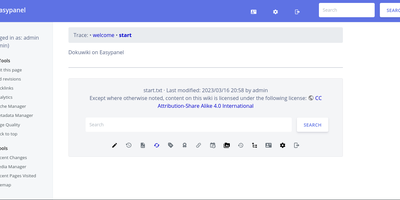
Unleash the power of collective knowledge with DokuWiki, the open-source wiki wizard that's as easy to use as a peanut butter sandwich (minus the sticky fingers). No database? No problem! DokuWiki's got you covered with its sleek syntax that's as clean as your grandpa's Sunday hat. It's the apple of the eye for admins everywhere, thanks to its no-sweat maintenance, backup simplicity, and plug-and-play integration. Lockdown your secrets or share your smarts with DokuWiki's built-in Fort Knox-like access controls and authentication magic. Whether you're building a digital library of Alexandria or just jotting down your world-changing ideas, DokuWiki's plugin treasure trove transforms it from a mere wiki into your digital Swiss Army knife. Collaborate like a band of merry scribes, with swift updates and a historical archive of every brainwave and typo. Ideal for everything from a corporate brain bank to your personal idea dump, a how-to guide, a team's digital war room, or even an intranet that doesn't make you yawn. And with RepoCloud hosting, you'll be saving more dough than a budget bakery, all while customizing your DokuWiki experience from newbie-friendly tweaks to crafting your own digital extensions. So why wait? Make DokuWiki your go-to for shared wisdom without the heavyweight price tag!
Silicon Notes
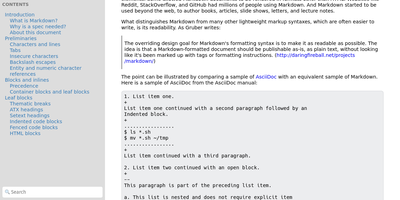
"Somewhat lightweight, low-friction" is how Silicon Notes' author describes the personal knowledge base - written after DokuWiki's editor "drove me mad" and no existing wiki quite fit. The philosophy is that small frequent annoyances compound into cognitive load with no return, so everything here is optimized for frictionless daily use. Notes are written in plaintext Markdown and rendered as clean HTML with Pygments syntax highlighting for code blocks; pages get bi-directional relationships (backlinks), so the knowledge base becomes a connected web rather than a folder tree; and full-text plus title search retrieves anything fast. A table of contents lives in the left sidebar - "where it belongs" - editable while you read without scrolling away. Page history tracks revisions for auditing and rollback, JSON export/import keeps everything portable, and the mobile layout is genuinely usable. The stack is deliberately minimal: Python and Flask with Mistune for Markdown and SQLite for storage - no big frameworks, just a few small dependencies. One honest caveat: there is no built-in authentication, so deploy it behind a VPN, private network, or reverse-proxy auth layer. For a solo engineer's brain, it is exactly enough.