Penpot
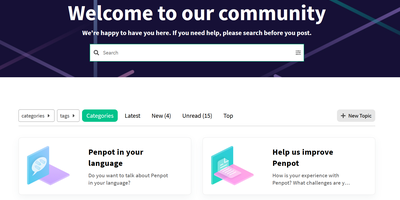
Welcome to Penpot, the open-source design tool that’s like a Swiss Army knife for designers and developers, minus the risk of cutting your finger off! Imagine a world where designers whip up stunning visuals and interactive prototypes faster than you can say 'pixel-perfect', while developers sit back, relax, and receive ready-to-use code like it’s a pizza delivery on a Friday night. No more handoff drama – just smooth sailing from design to deployment! With Penpot, you can create design systems at scale, and your team will be so in sync that even a boy band would be jealous. So, ditch the clunky SaaS tools that charge you an arm and a leg, and join the Penpot party where collaboration is as easy as pie (or should we say, as easy as dragging and dropping?). Get ready to unleash your creativity and watch your workflow transform into a well-oiled machine – all while saving enough cash to buy that fancy coffee you’ve been eyeing!
Komga
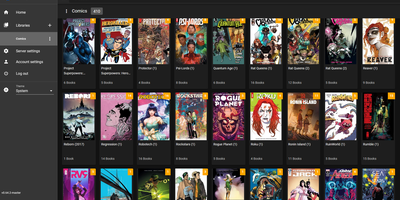
What Jellyfin is for video, Komga is for comics, manga, BDs, magazines, and eBooks: point it at folders of CBZ, CBR, CBT, PDF, and EPUB files and it becomes a proper library with cover art, embedded metadata import, and per-user reading progress. The responsive web reader handles multiple reading modes - left-to-right for western comics, right-to-left for manga, webtoon scrolling - while collections and read lists organize crossovers and story arcs, with ComicRack .cbl read list import for existing curation. Its openness is the real differentiator: OPDS v1.2 and v2.0 feeds serve virtually every reader app (Panels, Moon+ Reader, Mihon/Tachiyomi, KyBook), with OpenSearch and page-streaming extensions so mobile apps fetch pages on demand instead of whole archives. E-ink support is built in, not bolted on - Kobo devices sync directly against Komga instead of Kobo's servers, with two-way read progress, on-the-fly KEPUB conversion via Kepubify, and optional proxying so official Kobo purchases still work; KOReader sync covers everything else. Multi-user management brings per-library access control, age restrictions, and label restrictions for family setups. Housekeeping tools detect duplicate files and duplicate pages, and a REST API feeds a healthy ecosystem of community scripts. Runs from a single Docker container with embedded SQLite.