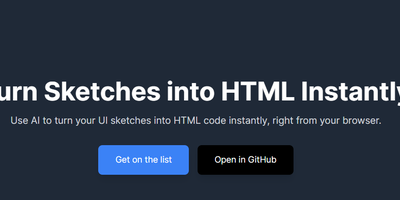
draw-a-ui
Ever wished you could just doodle your dream website on a napkin and have it magically appear on the internet? Well, put down that napkin and pick up tldraw! This wizardry of an app lets you sketch out your wireframe like a true artist (or a toddler with a crayon, no judgment here) and then sends it off to GPT-4-Vision, which somehow understands your masterpiece and returns a shiny, fully functional HTML file with Tailwind CSS. It's like having a web developer genie in a bottle, minus the three-wish limit and the awkward small talk. So go ahead, draw your wildest web dreams and watch them come to life, no coding required. Just don't forget to sign your artwork!
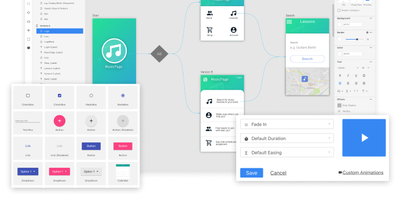
Quant-UX
Most design tools stop at prototyping; Quant-UX also measures how real users actually perform with the prototype. The visual editor creates prototypes that behave like real apps - functional input widgets, animations, form validation, data binding across screens, and business logic modeled with REST requests and decision elements. Design systems are first-class, with components, design tokens, and master screens; if you design elsewhere, drop in image files or import from Figma. Testing is a shared link or QR code - no installs on the tester's side. Define user tasks up front, and Quant-UX records every session: click heatmaps show where users found (or missed) actionable elements, user journey graphs expose lost users, drop-off charts reveal where tasks stall, and success rates and task KPIs are extracted automatically into a dashboard. An A/B test operator wires two design variants into one prototype and compares task duration, success rate, and interaction counts. In-prototype surveys collect qualitative feedback alongside the numbers, and an AI assistant generates prototype fragments like styled forms on request. The RepoCloud deployment runs the full stack - frontend, backend, and WebSocket server containers over MongoDB - so all test recordings and research data stay on your infrastructure.
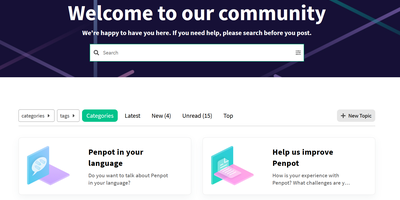
Penpot
Welcome to Penpot, the open-source design tool that’s like a Swiss Army knife for designers and developers, minus the risk of cutting your finger off! Imagine a world where designers whip up stunning visuals and interactive prototypes faster than you can say 'pixel-perfect', while developers sit back, relax, and receive ready-to-use code like it’s a pizza delivery on a Friday night. No more handoff drama – just smooth sailing from design to deployment! With Penpot, you can create design systems at scale, and your team will be so in sync that even a boy band would be jealous. So, ditch the clunky SaaS tools that charge you an arm and a leg, and join the Penpot party where collaboration is as easy as pie (or should we say, as easy as dragging and dropping?). Get ready to unleash your creativity and watch your workflow transform into a well-oiled machine – all while saving enough cash to buy that fancy coffee you’ve been eyeing!
Screenshot To Code
description_humorous