Tandoor
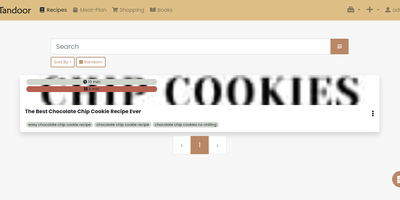
The deep end of self-hosted recipe management: Tandoor Recipes is a Django/Vue application that replaces Paprika, AnyList, and ad-choked recipe sites with a database you control. Import is where most people start: paste any URL and Tandoor scrapes schema.org markup for ingredients, instructions, images, times, and nutrition; bulk-paste URLs for batch import; or migrate wholesale from Mealie, Paprika, Nextcloud Cookbook, Pepperplate, and other managers with built-in importers. The structured recipe editor tracks ingredients individually, which is what powers everything downstream: full-text search with trigram similarity, a "what can I make with what's in the fridge" ingredient search, automatic nutrition via OpenFoodFacts, and shopping lists that merge duplicate ingredients across recipes, convert units, scale by servings, and sort by your supermarket's actual aisle layout. The weekly meal planner is drag-and-drop, feeds shopping lists automatically, exports to your calendar, and shows a nutritional summary for the week. Multi-user support comes with a granular permission system - shared household cookbooks, private recipes, even secret ones - and shopping lists sync in real time so two people can shop simultaneously. A full REST API integrates with Home Assistant and Grocy. For households serious about cooking, Tandoor's depth is unmatched.
Outline Wiki
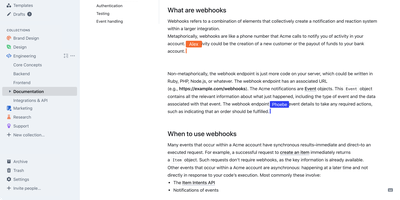
Get ready to turbocharge your team's brainpower with Outline! Imagine a digital treehouse where all your team's knowledge is not just thrown in haphazardly, but organized with the finesse of a library catalog. With Outline, you'll be crafting documents like a pro, thanks to its slick markdown support, nifty slash commands, and the ability to embed pretty much anything. Wave goodbye to the chaos of collaboration; real-time editing, threaded conversations, and comments mean you'll be in sync faster than you can say 'knowledge is power!' And for those who live in Slack, Outline's like the cool neighbor that never makes you leave your chat to search or share docs. Want to show off your brand's swagger? Go public with your docs, decked out in your brand's colors and logo, right on your own domain. It's like having a custom-tailored suit for your content. Speedy, secure, and simpler than a Sunday morning - Outline is the multilingual maestro of your team's symphony, playing well with Figma, Loom, and a whole orchestra of tools. And hosting it on RepoCloud? That's like getting first-class seats for your data at a budget airline price!
Ntfy
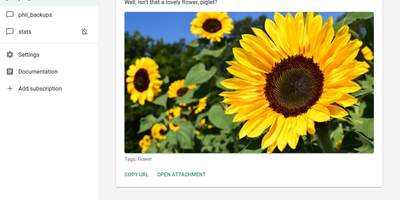
Get ready to elevate your notification game with ntfy – it's like having a personal town crier for the digital age! This nifty little app turns your phone or desktop into a buzzing hub of updates, all thanks to the magic of HTTP-based chit-chat. Whether you're knee-deep in code or just waiting for that marathon script to finally say 'I'm done!', ntfy is your go-to for keeping in the loop. Just pop the app onto your trusty smartphone, pick a topic that tickles your fancy, and voilà – you're the master of messages! And the best part? It's as free as your grandma's love, but you can throw some coin their way with a premium plan if you're feeling generous. Host it on RepoCloud, and you'll be saving more dough than a budget bakery – all while supporting the open-source vibe!
PhotoPrism
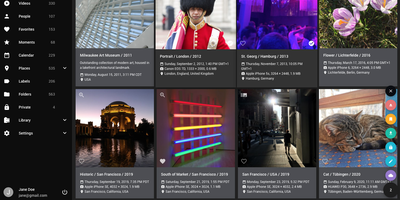
Get ready to give your photo collection a dose of AI smarts with PhotoPrism, the snazzy, decentralized dazzler of the image world! This app is like a ninja in the night, silently tagging and sorting your snapshots without so much as a hiccup in your day-to-day. Whether you're a homebody with a penchant for privacy or a cloud-surfing digital nomad, PhotoPrism's got your back. Wave goodbye to the headache of RAW files, the clones of duplicate images, and the babel of video formats. With its slick search sorcery, you can pinpoint that one photo of Aunt Mabel's surprise birthday party in a snap. Plus, with glossy world maps, you can take a stroll down memory lane, but with GPS precision. Fancy a bit of magic? Just hover over those Live Photos and watch them... well, live! And let's not forget the facial recognition – it's like having a butler who knows your guests by sight, only it's your photos. PhotoPrism is the Fort Knox of photo apps, guarding your precious memories with an ironclad promise of privacy. Host it on RepoCloud, and you'll be saving more than just memories; you'll be saving some serious coin, too!
Kutt
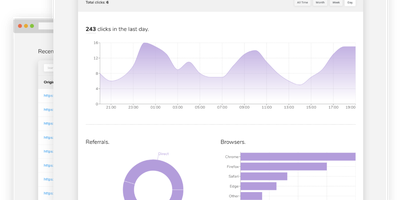
Built for self-hosting from the ground up, Kutt is a modern, MIT-licensed URL shortener: zero-configuration setup, no build step, and SQLite, PostgreSQL, or MySQL with optional Redis caching. Links carry real management features - custom slugs from a configurable alphabet (confusable characters like 0/O and l/1 omitted by default), password protection, descriptions, expiration times, and the ability to edit a destination URL without changing the short link already in circulation. Custom domains make branded short links first-class: add as many as you like and serve each under your own name instead of a third-party's. Private, per-link statistics track clicks, browsers, operating systems, and countries without logging visitor IPs or sensitive data. An admin page manages users and links instance-wide, and two environment flags (DISALLOW_REGISTRATION, DISALLOW_ANONYMOUS_LINKS) lock the instance down for private use; OpenID Connect login integrates with an existing identity provider. Automation runs through a documented REST API - create, list, delete, and pull stats - plus Chrome and Firefox extensions and ShareX compatibility for shortening from anywhere. Built with Node.js and React, deployed in one Docker container, it replaces Bitly with something you own: your domain, your analytics, and links that never die with a vendor.