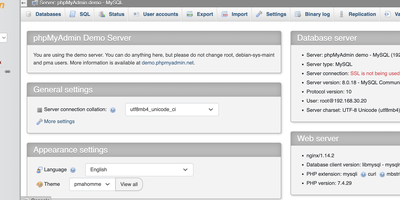
phpMyAdmin
Since 1998, phpMyAdmin has been the standard web interface for MySQL and MariaDB - the tool millions of developers, DBAs, and hosting companies reach for when a database needs inspecting, fixing, or migrating. Written in PHP, it covers effectively the entire administration surface: create, browse, alter, and drop databases, tables, views, columns, and indexes; insert and edit rows through a tabular editor; manage user accounts and granular privileges; and maintain stored procedures, triggers, and events - all without touching a command line. The SQL editor executes arbitrary queries with syntax highlighting, autocompletion, history, and bookmarkable statements, including batch queries. Import/export is a migration workhorse: read SQL, CSV, XML, and OpenDocument spreadsheets in; write out to SQL dumps, CSV, JSON, XML, PDF, Word, LaTeX, and more - the fastest path for moving a WordPress database or handing a schema to a colleague. The Designer view renders your schema as an interactive ER diagram with drag-and-drop relationship editing, and data transformations display BLOBs as images or download links inline. Server maintenance views surface configuration suggestions. Multi-server support, dark mode, and translations into 72 languages round out a tool that earns its ubiquity. GPL-licensed.
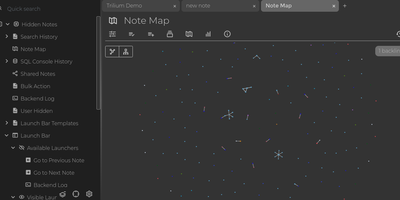
Trilium Notes
For people whose notes number in the tens of thousands, Trilium Notes is the hierarchical note-taking application built specifically for large personal knowledge bases - actively maintained as TriliumNext. Notes arrange into arbitrarily deep trees where every note is both content and container, and cloning lets a single note live in multiple places at once - bash notes belong under both Linux and Scripting, and Trilium refuses to make you choose. A WYSIWYG editor handles rich text, tables, math, and syntax-highlighted code blocks with Markdown-style shortcuts, while dedicated note types cover Excalidraw sketches, mind maps, geo maps with GPX tracks, relation maps that visualize connections between notes, and tables with typed columns. The attribute system is the power layer: labels attach queryable metadata (#year=1999, #author), relations create named links between notes, and both inherit down the tree - feeding full-text search, saved queries, and scripting. Scripting is Trilium's deepest differentiator: JavaScript code notes run on events like note changes or hourly schedules, build custom widgets, and add server-side logic, turning the knowledge base into a programmable platform. Protected notes encrypt sensitive content, note hoisting focuses on subtrees, and the self-hosted server syncs desktop clients across devices.
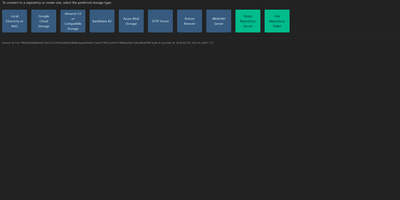
Kopia
Engineers who have outgrown Duplicati or rsync scripts tend to appreciate Kopia's design: encrypted, compressed, content-deduplicated snapshots in Go, stored in a repository on any storage you control - S3, Google Cloud Storage, Azure Blob, Backblaze B2, SFTP, WebDAV, or a plain filesystem. Encryption is mandatory and end-to-end: every block is encrypted client-side with AES-256-GCM or ChaCha20-Poly1305 using keys derived from your repository password, and even file names never leave the machine in plaintext. Blocks are packed into 20-40 MB blobs with random names, so the storage provider learns nothing about content or structure. Deduplication is automatic and content-based - identical data across files, snapshots, and even multiple machines backing up to the same repository is stored once. Policies govern everything per-directory: compression choice, retention (hourly through annual), scheduling, and ignore rules. Incremental snapshots are point-in-time records you can mount and browse like a filesystem. This deployment runs the Kopia repository server with its web UI, centralizing backups from multiple client machines over an authenticated API - each client connects with the server URL and certificate fingerprint, and users only see their own snapshots. Error correction, high-latency-tolerant caching, and both CLI and GUI round it out.
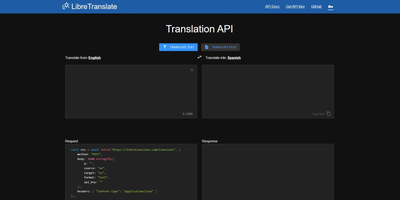
LibreTranslate
Machine translation with no Google, no Azure, no per-character billing, and no text leaving your infrastructure: LibreTranslate is a free, open-source translation API that runs entirely on your own server. The engine underneath is Argos Translate, which runs OpenNMT neural models with SentencePiece tokenization and Stanza sentence-boundary detection, all offline. Models install as portable .argosmodel packages covering dozens of languages - English, Spanish, French, German, Chinese, Japanese, Russian, Arabic, Hindi, Portuguese, and many more - and Argos handles automatic pivoting: with es-to-en and en-to-fr installed, it chains them to translate es-to-fr without a direct model. The API is a straightforward HTTP POST to /translate with source and target language codes, returning JSON - simple enough that the ecosystem has clients in every major language and integrations across tools like Weblate and Mastodon. Beyond plain text it translates HTML while preserving markup and handles whole file uploads (documents in, translated documents out), plus automatic language detection when the source is unknown. A clean bundled web UI serves interactive translation for end users, and optional API keys with rate limits control access. AGPL-licensed and trainable with custom models, it is the standard answer when translation must be private, unmetered, and self-contained - GDPR-sensitive text never touches a third party.
OctoPrint
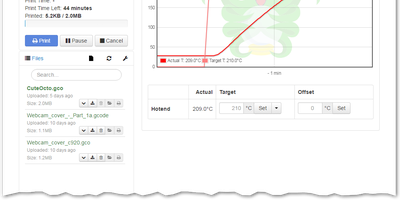
Over a million active instances make OctoPrint the standard web interface for consumer 3D printers - Gina Häußge's Python application, the center of the printing world since 2012. It talks to your printer over USB serial and turns every browser into a control panel: upload, organize, and start G-code prints; watch hotend and bed temperature graphs in real time; drive the print head manually; adjust feed rate, flow, and fan speed mid-print; and hit an emergency stop if things go wrong. The G-code visualizer renders the current layer in sync with the job, and a connected webcam adds a live feed plus automatic timelapse recording of every build. What keeps OctoPrint ahead is its plugin ecosystem - 300+ community plugins installable from the built-in manager. Highlights include Obico's AI spaghetti detection that pauses failed prints automatically, OctoEverywhere for tunnel-based remote access, Bed Level Visualizer's 3D mesh of your bed surface, PrintTimeGenius for accurate time estimates, Exclude Region to abandon one failed object mid-print while others continue, and Firmware Updater to flash Marlin or Klipper without SD-card shuffling. Event hooks fire notifications when prints finish or fail, and a full REST API supports slicer integration and custom automation. AGPL-licensed.
Duplicati
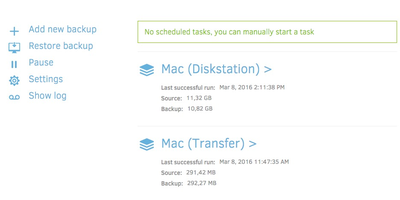
Encrypted, incremental, compressed backups on storage you already have - Amazon S3, Backblaze B2, Google Drive, Azure, OneDrive, Dropbox, MEGA, Storj, WebDAV, SFTP, FTP, SMB, or a plain local disk - is what the MIT-licensed Duplicati has quietly done for years. Its security model is Trust No One: every block is encrypted with AES-256 (or a local GPG instance) before leaving the machine, and the passphrase never travels, so the storage provider holds only ciphertext. The block-based storage engine gives the best of both backup worlds: after one initial full backup, only changed data blocks upload - modify a tiny part of a huge file and only that part transfers - yet every backup version restores like a full backup in a single operation, with no incremental chains to replay. Deduplication and compression keep remote storage growth slow even across years of versions. A web interface manages everything: the built-in scheduler keeps backups current automatically, flexible filters select folders, file types, or custom patterns, retention policies prune old versions, and an integrated updater flags new releases. On compatible object-lock backends, immutable (WORM) storage protects backup data from ransomware that reaches the credentials. Runs on Windows, macOS, and Linux, free even for commercial use.
Freescout
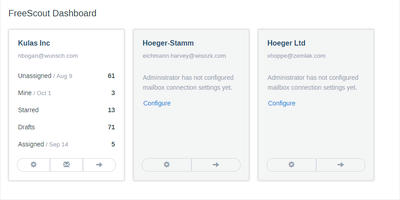
Unlimited agents, unlimited tickets, unlimited mailboxes, forever, on a $4 VPS - FreeScout's pricing inversion is why it became the most popular self-hosted Help Scout alternative, a PHP/Laravel help desk and shared inbox developed from scratch over eight years. The inbox deliberately behaves like Gmail or Outlook, so new support agents need close to zero training. The email-support core is genuinely complete: seamless IMAP/SMTP integration including modern Microsoft Exchange authentication, collision detection that warns when two agents open the same conversation, canned responses, auto-replies, internal notes, open tracking, starring, forwarding, merging, and moving conversations between mailboxes, phone-call logging, push notifications, and an auto-refreshing conversation list - plus screenshot pasting straight from the clipboard into replies. It's 100% mobile-friendly, fully screen-reader accessible, and translated into 28 languages. Beyond the core, an ecosystem of 100+ modules (mostly one-time $12-20 purchases) adds knowledge base, workflows with Gmail-filter-style automation rules, satisfaction ratings, time tracking, tags, custom fields, LDAP, Slack, WhatsApp and Telegram channels, and an API with webhooks - pay only for what your team needs. Web installer and updater included. AGPL-licensed.
Gotenberg
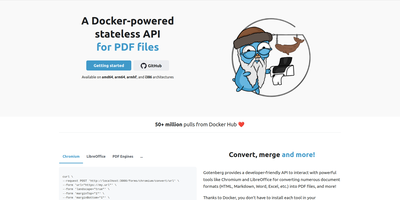
Send a document, receive a PDF: Gotenberg is a Docker-based, stateless HTTP conversion API trusted in production by thousands of companies and adopted by notable open-source projects. Send files as multipart/form-data, get a PDF back; Chromium, LibreOffice, and fonts are the container's problem, not yours. Headless Chromium handles URLs, HTML templates, and Markdown with pixel-perfect browser rendering: it executes JavaScript, loads web fonts, waits for network idle, a JS expression, or a DOM selector before rendering SPAs, and accepts injected cookies and HTTP headers for authenticated pages. LibreOffice converts 100+ office formats - .docx, .xlsx, .pptx, and legacy formats - with page-range extraction and PDF/A archival conformance. Built-in PDF engines round out the pipeline in every image variant: merge, split, rotate, flatten, encrypt, watermark, stamp, read/write metadata and bookmarks, plus Factur-X/ZUGFeRD e-invoicing and PDF/UA accessibility compliance. Screenshots of URLs and HTML come from the same endpoints. Zero-transfer pipelines stream files directly between S3, MinIO, or GCS presigned URLs and Gotenberg, bypassing your application entirely, and webhooks enable async processing. Statelessness means horizontal scaling is trivial - run as many replicas as your conversion volume demands. Three image variants (full, Chromium-only, LibreOffice-only) trim the footprint to what you actually use.
Muse
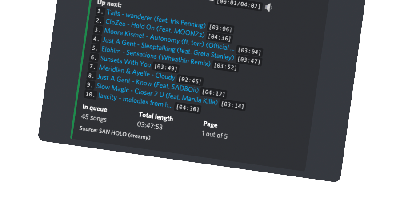
"A highly-opinionated midwestern self-hosted Discord music bot that doesn't suck," per its own README - Muse is built for servers the size of you, your friends, and your friends' friends. It exists because the big public music bots kept getting shut down or paywalled, and self-hosting yours means nobody can take it away. Written in TypeScript on discord.js, it joins voice channels and plays audio resolved from YouTube via yt-dlp, and given optional Spotify API credentials it auto-converts Spotify tracks, albums, artists, and entire playlists to playable equivalents. The playback details show real care: seeking within songs and videos, livestream support, local caching so repeated plays start instantly, volume normalization across tracks, and configurable volume controls including optional ducking that lowers music when people speak. SponsorBlock integration can skip non-music segments automatically. Users save favorite queries as reusable shortcuts, and one Muse instance serves multiple guilds simultaneously - one deployment for all your communities. Configuration is three environment variables (Discord token, YouTube API key, optional Spotify pair) and the personality is free: there is no vote-to-skip, because "this is anarchy, not a democracy," and the bot remains a loyal Green Bay Packers fan. MIT-licensed and easily extendable.
Paperless-ngx
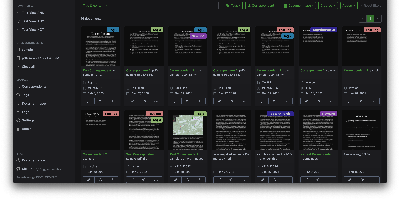
A pile of paper becomes a searchable digital archive under Paperless-ngx, the community-maintained document management system. The pipeline is what makes it work: drop a file into the consumption folder (or let it poll an email inbox), and a worker hashes it for duplicate detection, routes it by type, runs OCRmyPDF with Tesseract (100+ languages) on anything without a text layer, and produces an archivable PDF/A with invisible selectable text embedded - so Ctrl+F works on your scans. Then the smart part: a scikit-learn classifier (TF-IDF plus multi-label prediction) trained on your own tagged documents automatically assigns tags, correspondents, and document types to new arrivals, alongside rule-based exact, keyword, and regex matching for deterministic cases. Full-text search includes relevance ranking, match highlighting, autocomplete, and "more like this" similarity search. Apache Tika integration extends consumption to Word, Excel, PowerPoint, and LibreOffice formats. The Django/Angular app adds custom fields, saved views on a customizable dashboard, bulk editing, workflow automation triggered on upload or matching, shareable public links with expiration, and a robust permissions system with per-document access control. Metadata lives in PostgreSQL with Redis-queued Celery workers processing documents in parallel. Your tax records, invoices, and contracts stay on your server - searchable in seconds, never in someone else's cloud.
Logseq
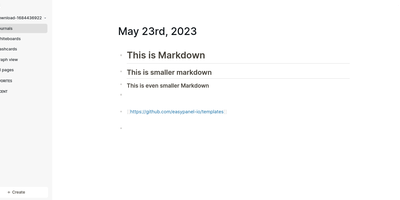
Every line an indentable bullet, every bullet a first-class block that can be referenced, embedded, and queried anywhere: Logseq is a privacy-first, local-first knowledge platform built around the block outliner. The daily journal is the system's beating heart - each day opens a fresh date-stamped page where tasks, meeting notes, and fleeting ideas land as blocks without filing decisions, then connect later through [[wikilinks]] with automatic bidirectional backlinks and ((block references)) that transclude any bullet into any page. Everything persists as plain Markdown or Org-mode files on disk - git-friendly, greppable, and owned forever, with sync via iCloud, Dropbox, Syncthing, Git, or an optional end-to-end encrypted service. Built-in tooling goes beyond notes: TODO/DOING task states with scheduling, native PDF annotation with area highlights, spaced-repetition flashcards, whiteboards for visual thinking, Zotero integration for researchers, and Datalog-powered queries that build dynamic views across the entire graph. A marketplace of hundreds of community plugins and themes adds AI chat, Ollama local-model integration, and custom workflows. Written in Clojure/ClojureScript, AGPL-3.0 licensed with 320+ contributors, and completely free - the local-first Roam for people who refuse subscriptions and lock-in.
Homer
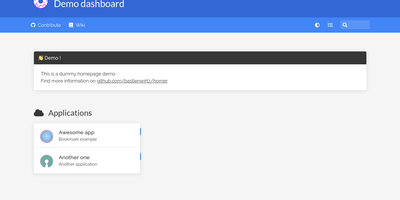
"Dead simple static HOMepage for your servER" - Homer's name is the spec. It is a fully static HTML/JS dashboard driven by one YAML file (assets/config.yml): list your services in groups with names, icons, tags, and URLs, and Homer renders a clean, fast landing page for everything you self-host. Because there is no backend, no database, and nothing to maintain, the container is tiny and effectively zero-maintenance - the entire operational surface is a text file you can version-control alongside your infrastructure. Despite the minimalism, the feature set is genuinely useful: smart cards add live data to service tiles via a type key - Pi-hole block statistics, AdGuard Home status, Jellyfin activity, Gatus and Home Assistant states, and dozens more integrations, with configurable periodic refresh. Fuzzy search jumps to any service as you type, keyboard shortcuts drive navigation, and multi-page support with item grouping keeps large homelabs organized. Theming covers built-in light and dark modes plus full custom CSS, tags get color-coded styles, and the whole dashboard installs as a PWA on phones and tablets. Icons come from Font Awesome or your own images. If Dashy is the maximalist dashboard and Homarr the drag-and-drop one, Homer is the minimalist: one YAML file, instant loads, and nothing that can break at 2 a.m.
Ackee
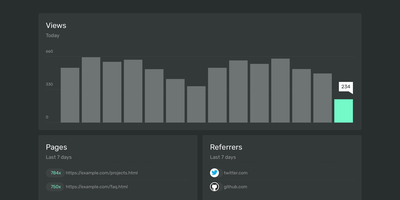
Page views, referrers, browsers, and screen sizes - Ackee delivers the analytics developers actually check, from a deliberately minimal Node.js and MongoDB stack that skips both Matomo's weight and Google Analytics' cloud dependency. Its defining constraint is anonymization: no cookies, no unique user tracking, and a multi-step anonymization process that keeps visitors unidentifiable while the aggregate numbers stay useful. In its default anonymous mode Ackee collects no personally identifiable information at all, which means GDPR and CCPA compliance out of the box and no cookie consent banner on your sites. A detailed mode adds screen size, language, and per-visit referrers - still without cookies or fingerprinting. Integration mirrors the Google Analytics pattern: create a domain in settings, drop the generated ackee-tracker snippet into your pages, and data appears in a clean single-page dashboard. One instance tracks multiple domains, and custom events capture button clicks, signups, and conversions. The distinctive engineering choice is the fully documented GraphQL API: everything the dashboard shows comes from that API, so you can query active visitors, average duration, and view statistics programmatically, feed data in from apps and services beyond websites, or build an entirely custom interface on top. If you want bare-minimum analytics with a real API and zero privacy anxiety, this is the tool.
Collabora Office
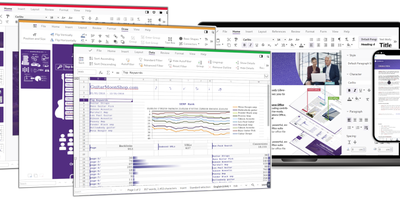
Real LibreOffice document engineering in the browser: Collabora Online is built by the company employing much of the former SUSE LibreOffice team - not a reimplementation. This deployment runs CODE (Collabora Online Development Edition), the collabora/code server that renders and edits documents entirely server-side while browsers get high-fidelity WYSIWYG output, so layout and formatting survive round-trips that break lesser converters. Four editors ship in one container: Writer for text documents (comments, track changes with comparison and restoration, form handling), Calc for spreadsheets (advanced formulas, macros, pivot tables, per-user sheet views, server-enforced cell protection), Impress for presentations, and Draw for Visio-class diagrams. Format compatibility spans DOCX, XLSX, PPTX, the ODF family, PDF, and dozens more - including Visio and Publisher import. Real-time collaborative editing supports multiple simultaneous editors with visible cursors and commenting. The architectural point: documents are processed on your server and never leave it, which is why Collabora is the engine behind Nextcloud Office and integrates with ownCloud, Seafile, and any WOPI-speaking host - or embeds in your own application via the SDK. An admin console monitors sessions and memory. For organizations that need Google Docs-style collaboration with actual data sovereignty, this is the reference open-source answer.