
draw-a-ui
Ever wished you could just doodle your dream website on a napkin and have it magically appear on the internet? Well, put down that napkin and pick up tldraw! This wizardry of an app lets you sketch out your wireframe like a true artist (or a toddler with a crayon, no judgment here) and then sends it off to GPT-4-Vision, which somehow understands your masterpiece and returns a shiny, fully functional HTML file with Tailwind CSS. It's like having a web developer genie in a bottle, minus the three-wish limit and the awkward small talk. So go ahead, draw your wildest web dreams and watch them come to life, no coding required. Just don't forget to sign your artwork!
Codel
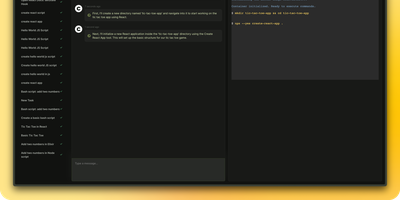
Meet your new digital sidekick, a fully autonomous AI Agent ready to tackle complex tasks and projects across terminals, browsers, and editors. It's like having a super-smart assistant who never needs coffee breaks!
drawDB
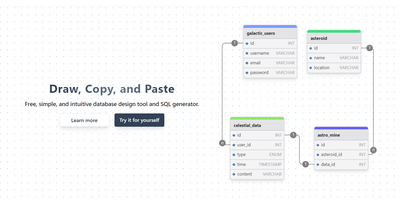
Schema design with no account and a few clicks: drawDB is the browser-based entity-relationship diagram editor and SQL generator - an AGPL-3.0 React project with over 37,000 GitHub stars. Draw tables with columns, data types, defaults, and constraints; connect fields to create foreign-key relationships; group tables into labeled subject areas; and annotate with notes. When the design is ready, one export produces CREATE TABLE DDL - with constraints, indexes, and foreign keys - targeted at MySQL, PostgreSQL, SQLite, MariaDB, SQL Server, or Oracle. Diagrams can be database-specific, unlocking every native type plus dialect features like PostgreSQL enums and composite custom types, or generic for portability across all supported flavors. The reverse direction works too: paste existing DDL into the import dialog and drawDB renders your live schema as a navigable diagram - the fastest way to document an inherited database. Versioning and migration-script generation track schema evolution, full editor ergonomics (undo/redo, copy/paste, duplicate, themes) keep iteration fast, and diagrams export as PNG, SVG, or shareable JSON. Everything runs client-side against browser storage - no backend database connection needed - so the self-hosted Docker deployment is a featherweight static app that keeps proprietary schema designs entirely on your infrastructure.
Servas
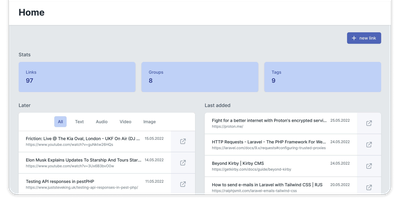
Get ready to turbocharge your bookmark chaos into a well-oiled machine with Servas, the self-hosted bookmark wizard! Wave goodbye to the days of digital clutter and say hello to a world where your favorite links are as organized as a librarian's bookshelf. With Servas, you can tag-team your URLs into submission, categorizing them with the finesse of a ninja using tags, groups, and even the mystical art of nesting. But wait, there's more! The 'Later List' is your digital pocket, ready to safely tuck away those 'read-me-soon' treasures for a rainy day. And for those who live life on the edge of their browser, the Servas Chrome extension is your trusty sidekick, zapping sites into your collection faster than you can say 'bookmark'. Multiple user accounts? Check. A design so responsive it practically does yoga? Double-check. And for the security-conscious, Servas flexes its muscles with Two Factor Authentication. Hosted on RepoCloud, your bookmarks won't just be organized; they'll be living the high life on cloud nine, without the sky-high costs. So, why settle for less when you can have the best seat in the house for your bookmarks with Servas on RepoCloud?
Quant-UX
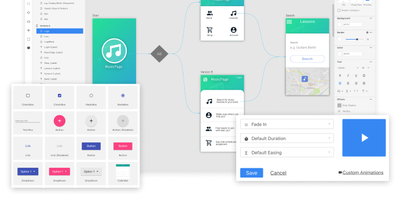
Most design tools stop at prototyping; Quant-UX also measures how real users actually perform with the prototype. The visual editor creates prototypes that behave like real apps - functional input widgets, animations, form validation, data binding across screens, and business logic modeled with REST requests and decision elements. Design systems are first-class, with components, design tokens, and master screens; if you design elsewhere, drop in image files or import from Figma. Testing is a shared link or QR code - no installs on the tester's side. Define user tasks up front, and Quant-UX records every session: click heatmaps show where users found (or missed) actionable elements, user journey graphs expose lost users, drop-off charts reveal where tasks stall, and success rates and task KPIs are extracted automatically into a dashboard. An A/B test operator wires two design variants into one prototype and compares task duration, success rate, and interaction counts. In-prototype surveys collect qualitative feedback alongside the numbers, and an AI assistant generates prototype fragments like styled forms on request. The RepoCloud deployment runs the full stack - frontend, backend, and WebSocket server containers over MongoDB - so all test recordings and research data stay on your infrastructure.

Barrage
Get ready to unleash a torrent of fun with Barrage, the sleek and chic Deluge WebUI app that's as mobile as you are! This app is like the Swiss Army knife for your torrents, with a design so responsive it'll make your smartphone blush. Whether you're lounging on the beach or commuting on the bus, Barrage lets you add torrents faster than you can say 'magnet link'. Fancy a bit of sorting and filtering action? You got it! Want to play the puppet master with your upload and download speeds? All the power is at your fingertips. And when it comes to prioritizing files or tweaking torrent settings, Barrage is as accommodating as RepoCloud's hosting prices. Deploy it with Docker and watch your torrent troubles sail away into the sunset. It's the smarter, cost-effective way to manage your torrents on the go, courtesy of RepoCloud's hosting magic!
Penpot
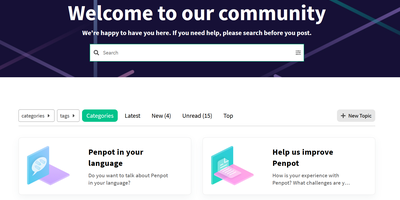
Welcome to Penpot, the open-source design tool that’s like a Swiss Army knife for designers and developers, minus the risk of cutting your finger off! Imagine a world where designers whip up stunning visuals and interactive prototypes faster than you can say 'pixel-perfect', while developers sit back, relax, and receive ready-to-use code like it’s a pizza delivery on a Friday night. No more handoff drama – just smooth sailing from design to deployment! With Penpot, you can create design systems at scale, and your team will be so in sync that even a boy band would be jealous. So, ditch the clunky SaaS tools that charge you an arm and a leg, and join the Penpot party where collaboration is as easy as pie (or should we say, as easy as dragging and dropping?). Get ready to unleash your creativity and watch your workflow transform into a well-oiled machine – all while saving enough cash to buy that fancy coffee you’ve been eyeing!
Excalidraw
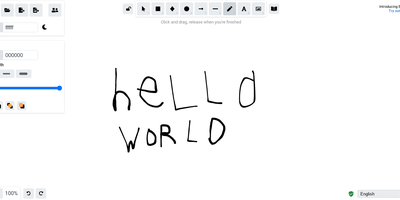
Half the architecture sketches on the internet trace back to Excalidraw - the MIT-licensed virtual whiteboard whose hand-drawn aesthetic made technical diagramming feel approachable, at roughly 85,000 GitHub stars. The infinite canvas offers rectangles, ellipses, diamonds, arrows with smart binding and labels, free-draw, text, images, and an eraser, with full undo/redo, zoom, dark mode, and keyboard-first ergonomics. Community shape libraries add thousands of pre-built elements - AWS architecture icons, flowchart stencils, UI wireframe kits - and everything exports to PNG, SVG, the clipboard, or the open .excalidraw JSON format that keeps drawings diffable and portable. Live collaboration works on a share-a-link model with live cursors and a laser pointer for presenting, and it is end-to-end encrypted by design: the room key travels in the URL hash, which never reaches the server, so the WebSocket relay only ever sees ciphertext. The architecture is remarkably light - the app is a static bundle served by Nginx, drawings persist locally in the browser, and the stateless excalidraw-room relay handles multiplayer - so a self-hosted deployment gives unlimited boards and collaborators with near-zero resource cost, replacing per-editor whiteboard subscriptions.
OpenUI
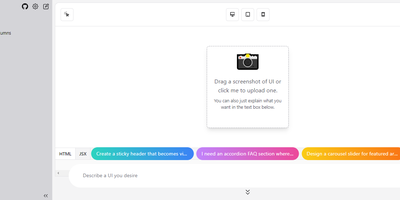
Describe a component in natural language and watch it render: OpenUI, from Weights & Biases, is an open alternative to Vercel's v0. Type a prompt like "a dark-themed dashboard with a sidebar and charts" and the LLM renders working HTML with Tailwind styling live in the browser. You then iterate conversationally, asking for changes until the design is right, and convert the result to React, Svelte, or Web Components for use in a real project. The backend is Python with LiteLLM routing, so it works with OpenAI, Anthropic, Gemini, Groq, and Mistral API keys, or fully offline against local Ollama models, including vision models like LLaVA that can generate UI from screenshot input - feed a screenshot and the model reproduces or riffs on an existing interface. Generated markup is inspectable at any point, with light and dark mode toggles, theme selection, and responsive previews across device sizes. The practical effect is compressing the mockup-review-revise loop from hours to minutes: a described layout renders in seconds and iterates through follow-up prompts, and because output converts to real framework code, prototypes feed directly into production codebases instead of staying trapped in a design tool. Self-hosting keeps unreleased product interfaces and prompts on your own server, and LiteLLM routing lets you pick the model per task - a cheap fast model for rough drafts, a stronger one for final passes, or free local models for unlimited experimentation.
Langflow
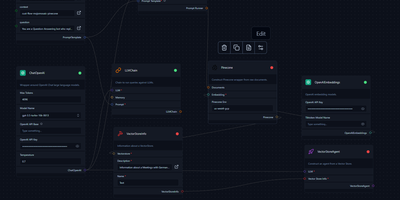
Get ready to unleash your inner language wizard with Langflow, the spellbinding app that turns the complex art of LangChain pipeline creation into a magical drag-and-drop extravaganza! Picture yourself crafting linguistic concoctions with the ease of a seasoned sorcerer, connecting mystical components like LLMs, prompt serializers, agents, and chains with a mere flick of your mouse. Tweak the secret ingredients (a.k.a. prompt parameters), bind together chains and agents in an enchanting dance, and peer into the crystal ball to witness an agent's thought process. When your potion is perfected, abracadabra! Export your masterpiece as a JSON file, ready to charm the socks off LangChain. And for the grand finale, with a wave of your wand (and a single command), you can deploy your creation to Jina AI Cloud faster than you can say 'Presto chango!' Thanks to RepoCloud's hosting, you'll save a dragon's hoard of gold compared to other cloud hosts. Langflow is your trusty sidekick in the quest to build and deploy LangChain pipelines with the ease of a fairy tale ending.
Screenshot To Code
description_humorous